Aqara Light Switch H2

Price range: $88.00 through $98.00

A smart wall switch that installs with or without a neutral wire. Runs on Matter over Thread or Zigbee, in 2-button and 4-button models — with a programmable wireless button for scenes.

SKU: N/A Categories: , Brand:

Description

The Aqara Light Switch H2 is a smart wall switch that works with or without a neutral wire — a rare thing in the Aqara range and the reason it suits so many Singapore homes, where the switch box usually has no neutral. It runs on Matter over Thread for Apple Home, Google Home and Alexa, or on Zigbee for the full Aqara Home feature set, and comes as a 2-button (1 circuit) or 4-button (2 circuit) model. Sold by PassionHome — your Authorised Aqara Dealer in Singapore — at S$88 (2-button) and S$98 (4-button) with the official 24-month Aqara warranty.

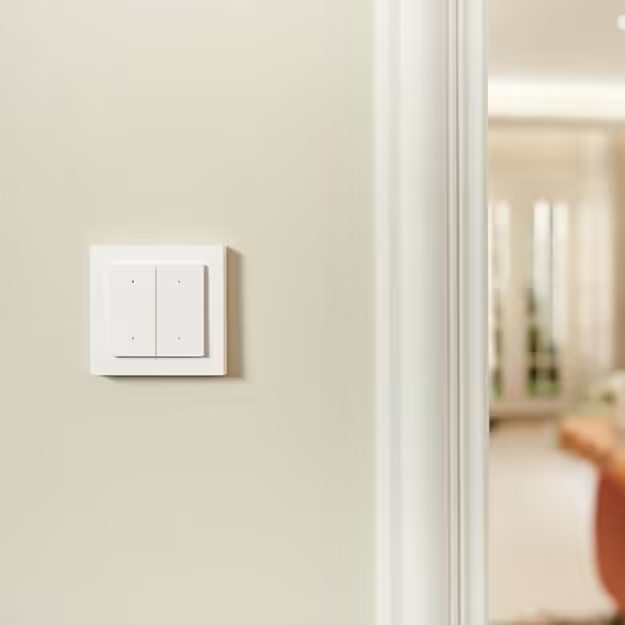
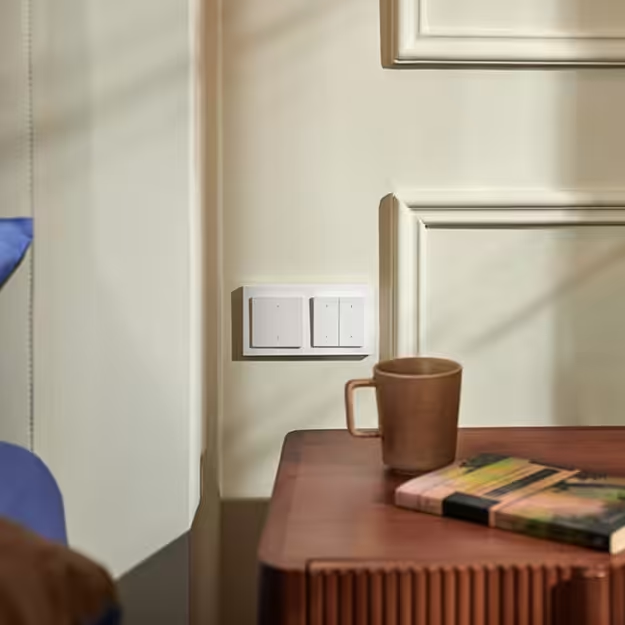
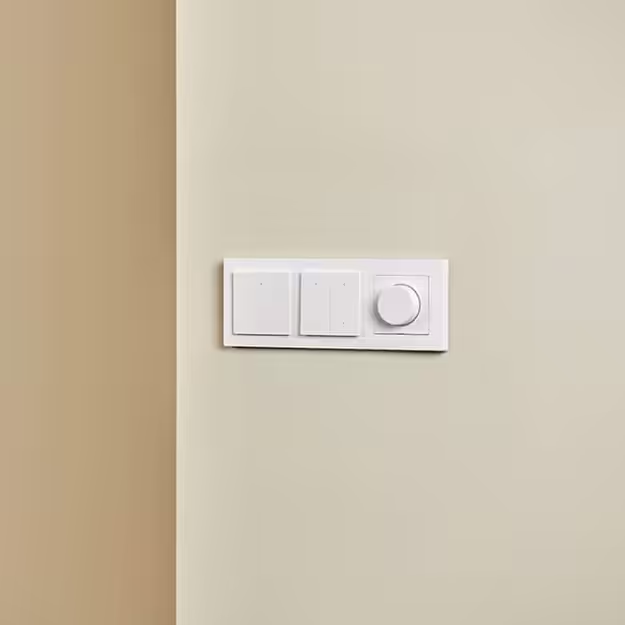
Aqara Light Switch H2 four-button model on a living-room wall

Why buy the Aqara Light Switch H2 in Singapore

  • Works in a no-neutral switch box. Most HDB and older condo switch points carry only the live wire. The H2 installs in single-live wiring (minimum 5 W load) and also in neutral wiring, so it fits both a quick swap and a full renovation.
  • Thread or Zigbee, chosen at pairing. Pair over Thread and it joins Apple Home, Google Home or Alexa through Matter with a Thread border router such as the Hub M3; pair over Zigbee to an Aqara hub for MARS-Tech, power statistics and LED settings in Aqara Home.
  • Relay button plus wireless button. Each model has a top button that switches the wired light and a lower wireless button you program for scenes — single, double or long press.
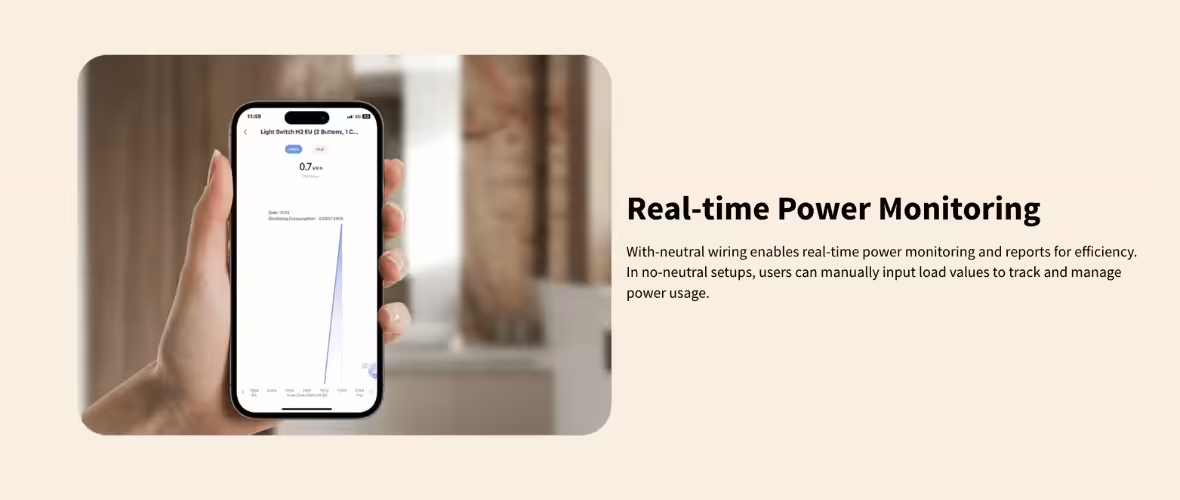
  • Neutral installs get more. With a neutral connected, the H2 adds overheat and overload protection and real-time power monitoring, and the minimum-load limit disappears.
  • Standard 86 mm fit, System 55 compatible. The 86 × 86 × 45 mm body fits a standard Singapore switch box and accepts System 55 modular frames.
  • Authorised dealer stock. Official 24-month Aqara manufacturer warranty, serviced in Singapore through the Aqara Service Center. Estate group-buy pricing is available when your estate unlocks it.

Neutral or no neutral: how the Light Switch H2 handles Singapore wiring

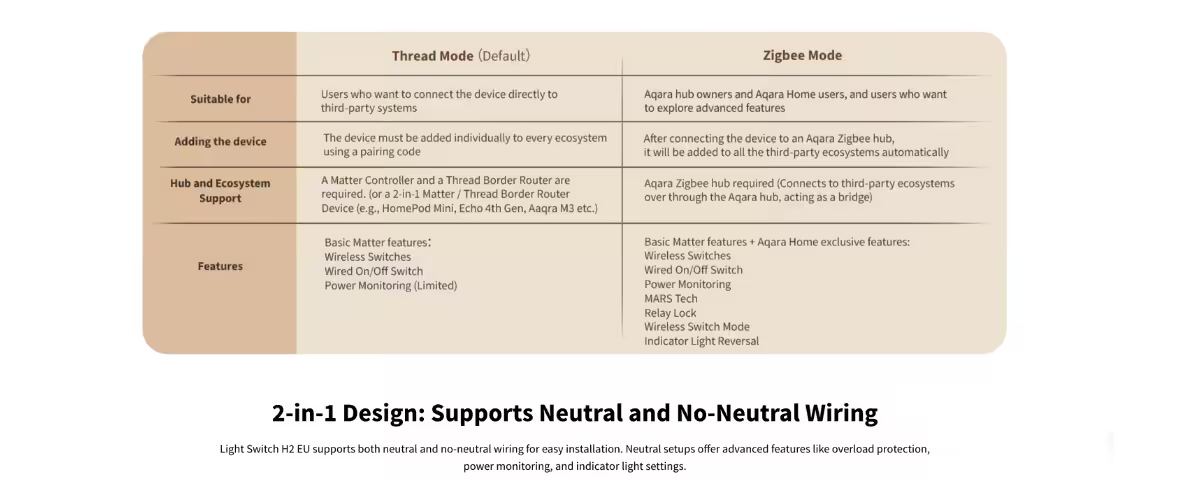
Aqara Light Switch H2 two-in-one design supports both neutral and no-neutral wiring, with a Thread mode and Zigbee mode comparison

Singapore switch boxes are usually wired with the live wire only, which is why many smart switches either will not work or need an electrician to pull a neutral. The H2 is wired live to L, load to L1, and neutral to N only if a neutral is present. In no-neutral (single-live) mode the connected lamp must draw at least 5 W; a very low-wattage LED below that may flicker or fail to switch — Aqara’s red indicator flashing slowly three times is the sign the load is too small. With a neutral there is no minimum load. Our neutral vs no-neutral smart switch guide explains how to check your box.

Why we still recommend a neutral where you can

If you are renovating, ask the electrician to run a neutral to the switch point. A neutral install removes the 5 W minimum and unlocks the H2’s overheat and overload protection and real-time power monitoring. If the box already has no neutral and you are not renovating, the H2 is one of the few Aqara switches that will still work — just check the lamp wattage first.

Real-time power monitoring in the Aqara Home app with a neutral-wired Light Switch H2

Thread (Matter) mode or Zigbee mode

The H2 carries Thread, Zigbee and Bluetooth radios. Bluetooth handles setup; for day-to-day control you choose Thread or Zigbee on the Switch Protocol page when pairing — one or the other, not both at once, and you can switch by resetting the device.

Thread mode: Matter for third-party ecosystems

Pair over Thread and the H2 becomes a Matter-over-Thread device for Apple Home, Google Home or Amazon Alexa. You need a Matter controller for that ecosystem and a Thread border router; in an Aqara setup that border router is the Aqara Hub M3. In Thread mode you get on/off control of the wired light and the wireless button; the extended Aqara features below need Zigbee mode.

Zigbee mode: the full Aqara feature set

Pair over Zigbee to an Aqara hub such as the Hub M3, Hub M200 or M2 Hub and the H2 runs with everything switched on: MARS-Tech, wireless-switch mode, power statistics and indicator-light settings in Aqara Home. Paired devices are then shared out to third-party ecosystems through the hub’s own Matter bridging. If your home already runs on an Aqara hub, Zigbee mode is the one to pick.

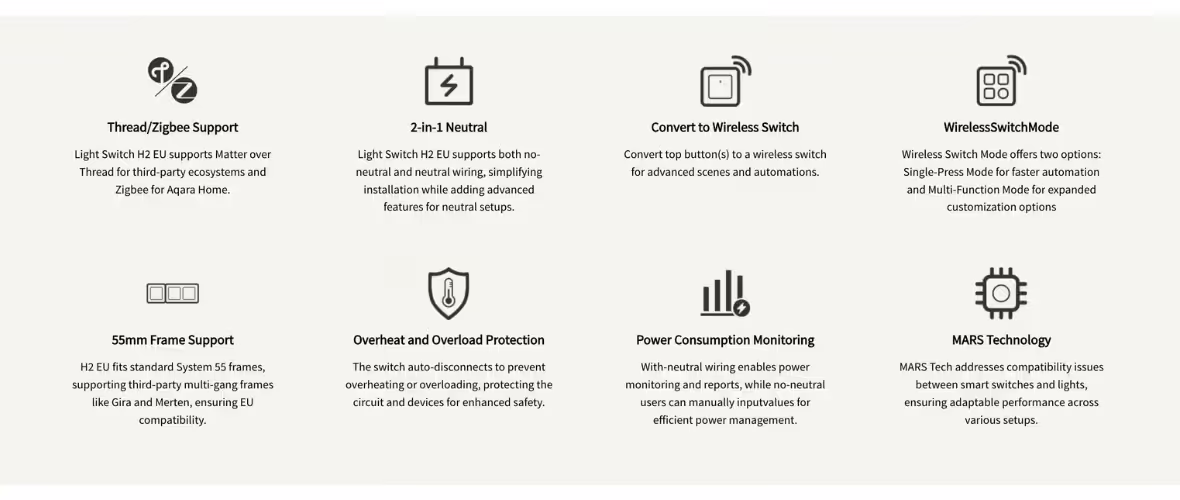
Aqara Light Switch H2 feature overview: Thread and Zigbee, neutral and no-neutral, wireless switch mode, System 55 frames, overload protection, power monitoring and MARS technology

MARS-Tech keeps smart bulbs online

MARS-Tech on the Aqara Light Switch H2 keeps smart lights powered so they stay reachable

The classic smart-home conflict: a smart bulb and a smart switch on the same circuit, and someone flips the switch, cutting power to the bulb so it drops offline. Aqara’s MARS-Tech, available in Zigbee mode with an Aqara hub, keeps the circuit powered and turns the switch press into a command to the Aqara smart lights instead — the lights stay online and the switch still works as a switch.

Relay button, wireless button and automations

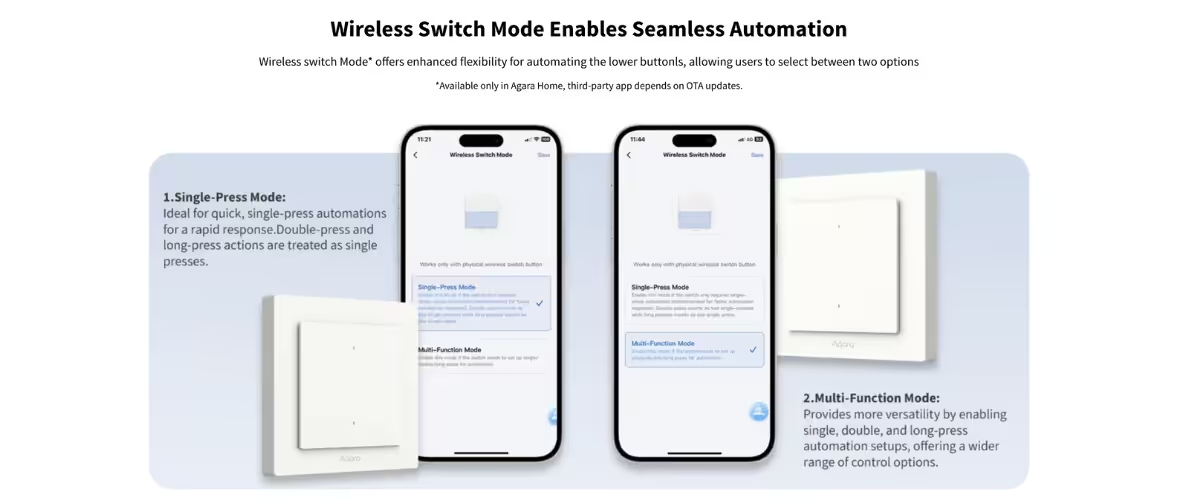
Wireless Switch Mode on the Aqara Light Switch H2: single-press and multi-function modes in the Aqara Home app

On the 2-button model the top button switches the wired light and the lower button is a wireless switch with no wired load; the 4-button model has two of each, controlling two lighting circuits. Program each wireless button for single, double and long press to trigger scenes — a double-press by the bed that turns off every light in the flat, a long-press that starts the aircon through your hub’s infrared blaster. Aqara notes the wireless-switch function lives in Aqara Home and may not be displayed in third-party Matter apps.

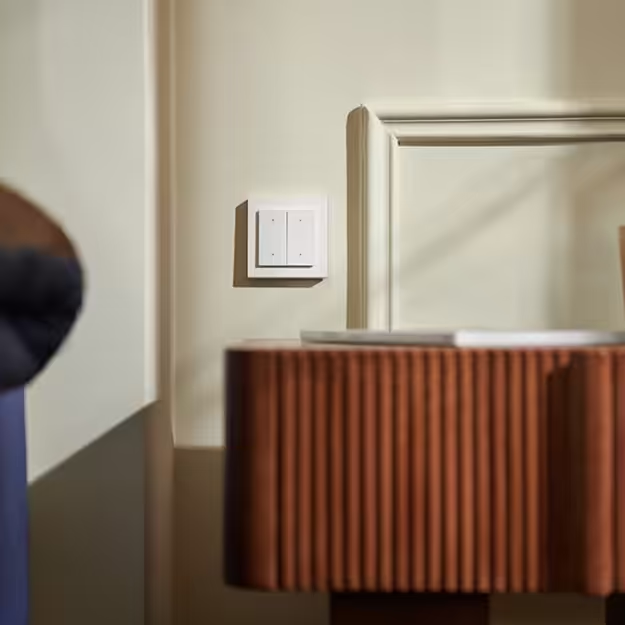
Aqara Light Switch H2 two-button model beside a bed, used as a bedside scene switch

Installing the Light Switch H2 in a Singapore home

The H2 is rated 200–240 VAC, 50/60 Hz with a maximum 8 A resistive load, so Singapore’s 230 V supply is within range. The 86 × 86 × 45 mm body fits a standard single switch box and, for renovations using European-style plates, accepts System 55 modular frames such as Gira System 55 and Merten M. It is for indoor use only, in dry rooms, at 0°C to 40°C. Changing a mains switch is electrical work — engage a licensed electrician. If you would like PassionHome to advise on 2-button versus 4-button layouts for each room, or arrange installation, message us on WhatsApp at +65 9051 7063.

Which model for which room

Light Switch H2 — 2 Buttons (S$88)Light Switch H2 — 4 Buttons (S$98)
ModelWS-K07E / WS-K07DWS-K08E / WS-K08D
Wired circuits1 (one relay button)2 (two relay buttons)
Wireless buttons12
Typical useBedroom, study, toilet, corridor — one light circuit plus a scene buttonLiving room, kitchen, master bedroom — two circuits (e.g. downlights and cove light) plus two scene buttons
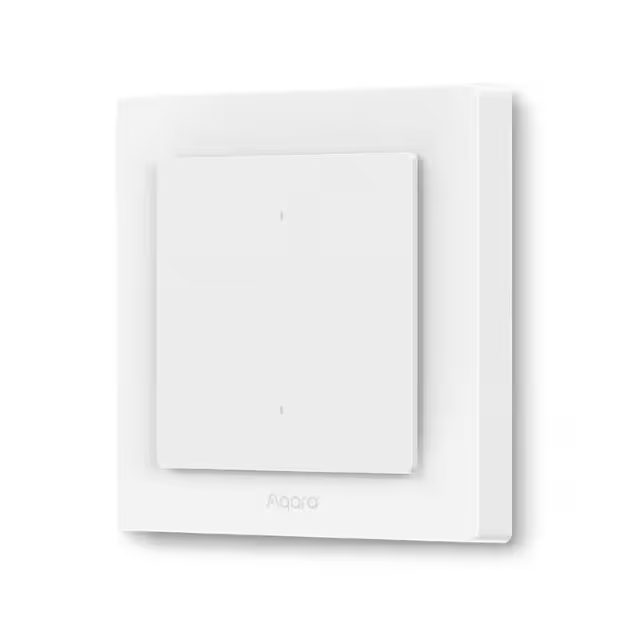
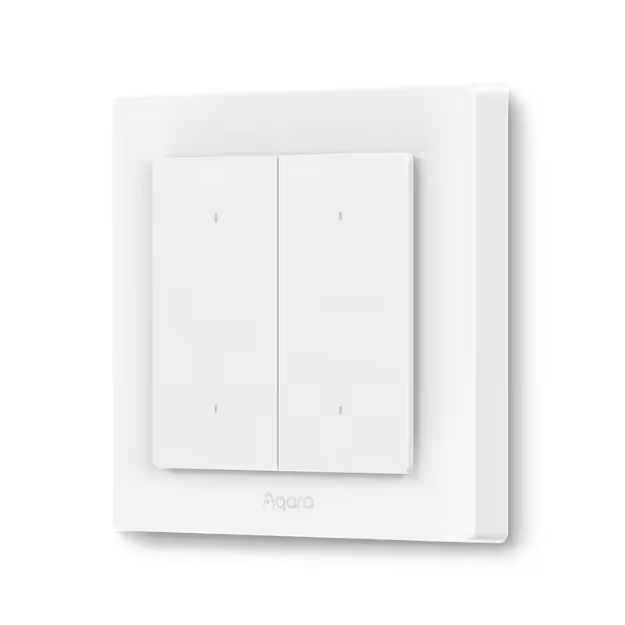
Aqara Light Switch H2 two-button model, front view

Specifications (WS-K07 / WS-K08)

SpecificationDetail
Model2 Buttons, 1 Channel: WS-K07E / WS-K07D · 4 Buttons, 2 Channels: WS-K08E / WS-K08D
Switch typeWired relay light switch with wireless-switch buttons
WiringNeutral or no-neutral (single live)
Minimum load5 W (no neutral); unlimited (with neutral)
Electrical rating200–240 VAC, 50/60 Hz, max 8 A resistive load
WirelessThread (2405–2480 MHz, ≤ 13 dBm), Zigbee, Bluetooth (2402–2480 MHz, ≤ 13 dBm)
ModesMatter over Thread (third-party ecosystems, needs Matter controller + Thread border router) or Zigbee (Aqara hub, full features)
EcosystemsAqara Home; Apple Home, Google Home, Amazon Alexa via Matter
Neutral-only featuresOverheat and overload protection, power consumption monitoring
Other featuresMARS-Tech (Zigbee mode with Aqara hub), wireless switch mode (single/double/long press), System 55 frame support
Dimensions86 × 86 × 45 mm
Operating temperature0°C to 40°C
Operating humidity0–95% RH, non-condensing
UseIndoor only

What is in the box

  • Light Switch H2 EU × 1
  • User manual × 1
  • Screw kit × 1

Warranty and authorised-dealer details

PassionHome.sg is an Authorised Aqara Dealer in Singapore, listed on Aqara’s official partner network. All Aqara products sold here:

  • Carry the official 24-month Aqara manufacturer warranty
  • Are sourced direct from Aqara distribution channels — never grey-market
  • Are covered by Singapore-based warranty service through the Aqara Service Center — no overseas RMA

Warranty term is 24 months from the purchase date. For a warranty claim on your Light Switch H2, the unit goes to the Aqara Service Center, Singapore’s official Aqara warranty service location. PassionHome can guide you through the process if you run into any issues — reach out on WhatsApp at +65 9051 7063.

Frequently asked questions

Does the Aqara Light Switch H2 work without a neutral wire?

Yes. It supports both neutral and no-neutral (single-live) wiring. In no-neutral mode the connected light must draw at least 5 W; with a neutral there is no minimum load, and you also gain overheat and overload protection and power monitoring.

Do I need a hub?

For smart control, yes. In Thread mode you need a Matter controller for your ecosystem plus a Thread border router such as the Aqara Hub M3. In Zigbee mode you need an Aqara Zigbee hub. Without a hub it still works as a normal wall switch for the wired light.

What is the difference between the Light Switch H2 and the Dimmer Switch H2?

The Light Switch H2 is an on/off relay switch with 2 or 4 buttons. The Dimmer Switch H2 is a dimmer for adjusting light brightness. Both carry the H2 name, so check the full product name before ordering.

Should I choose Thread or Zigbee?

Choose Thread if you mainly use Apple Home, Google Home or Alexa and have a Thread border router. Choose Zigbee if you run an Aqara hub and want MARS-Tech, power statistics and indicator-light settings in Aqara Home. You select the protocol when pairing and can change it by resetting the switch.

How do I switch from Thread to Zigbee?

Aqara’s manual: install the Aqara Home app with Wi-Fi and Bluetooth on, reset the switch to factory settings by pressing any button 10 times, then in Aqara Home tap Add Accessory, scan the Matter code and select Zigbee on the Switch Protocol page.

What is MARS-Tech?

Aqara’s feature that stops a smart switch from cutting power to smart bulbs on the same circuit — the lights stay online and the switch press becomes a command to them. It is available in Zigbee mode with an Aqara hub.

Will the H2 fit my existing switch plate?

The body is 86 × 86 × 45 mm, matching a standard Singapore switch box. It also fits System 55 modular frames (55 × 55 mm) such as Gira System 55 and Merten M.

What does the lower button do?

It is a wireless switch with no wired load. Program it in Aqara Home for single, double and long press to trigger scenes or other devices. The 4-button model has two wireless buttons.

Is the Light Switch H2 waterproof?

No. It is designed for indoor use only and should not be installed in humid environments or outdoors.

Is there a local warranty?

Yes. Every Aqara product sold by PassionHome carries the official 24-month Aqara manufacturer warranty, with service in Singapore through the Aqara Service Center — no overseas RMA. Message us on WhatsApp at +65 9051 7063 if you need help with a claim.

Related Aqara products

Additional information

Model

Aqara Light Switch H2 – 2 Buttons, Aqara Light Switch H2 – 4 Buttons

Reviews

There are no reviews yet.

Be the first to review “Aqara Light Switch H2”