
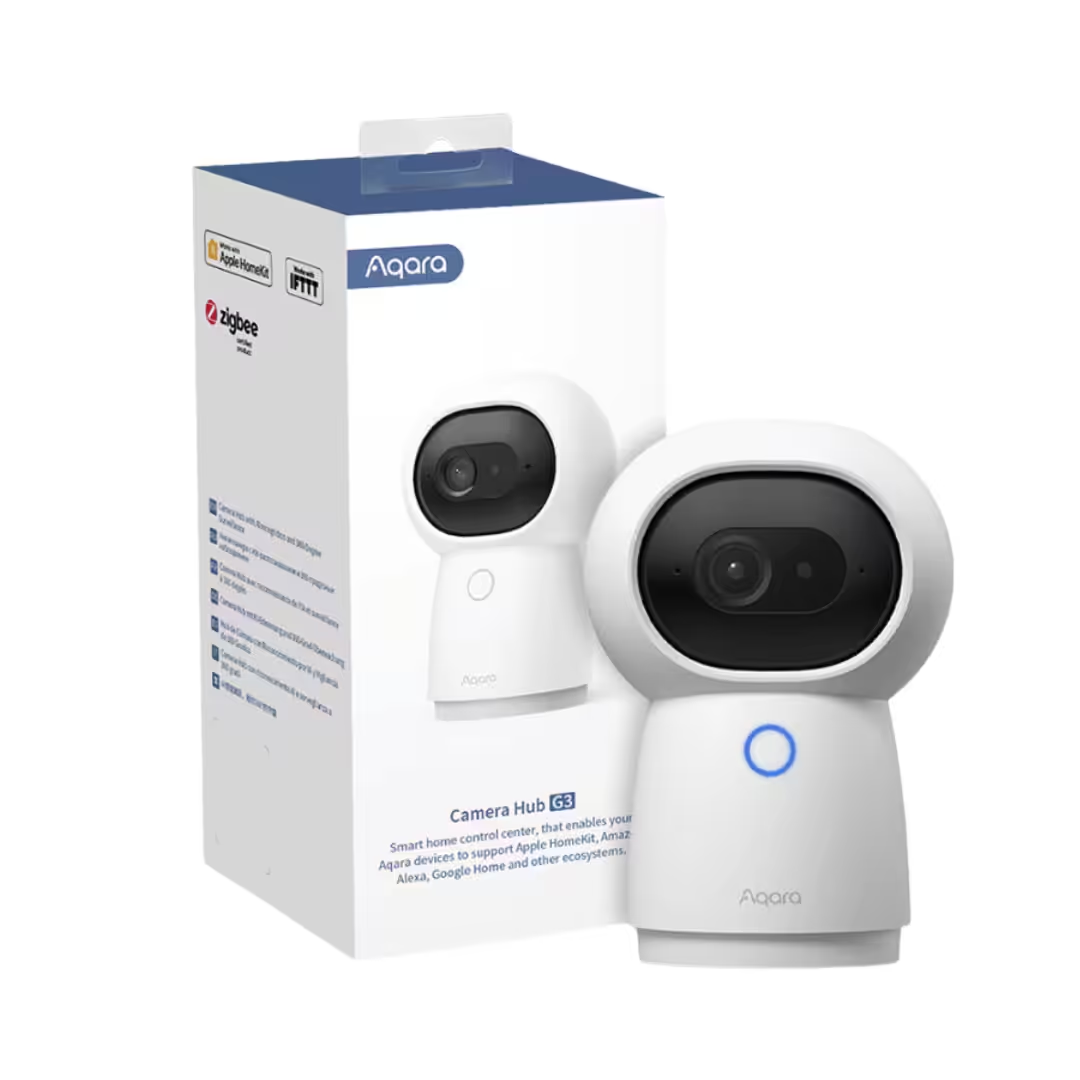
Aqara Camera Hub G3 – Global Edition
$239.00
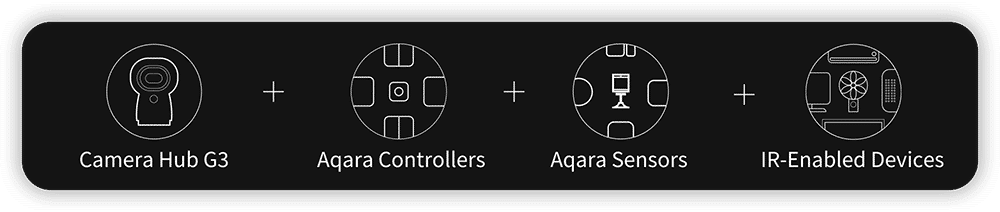
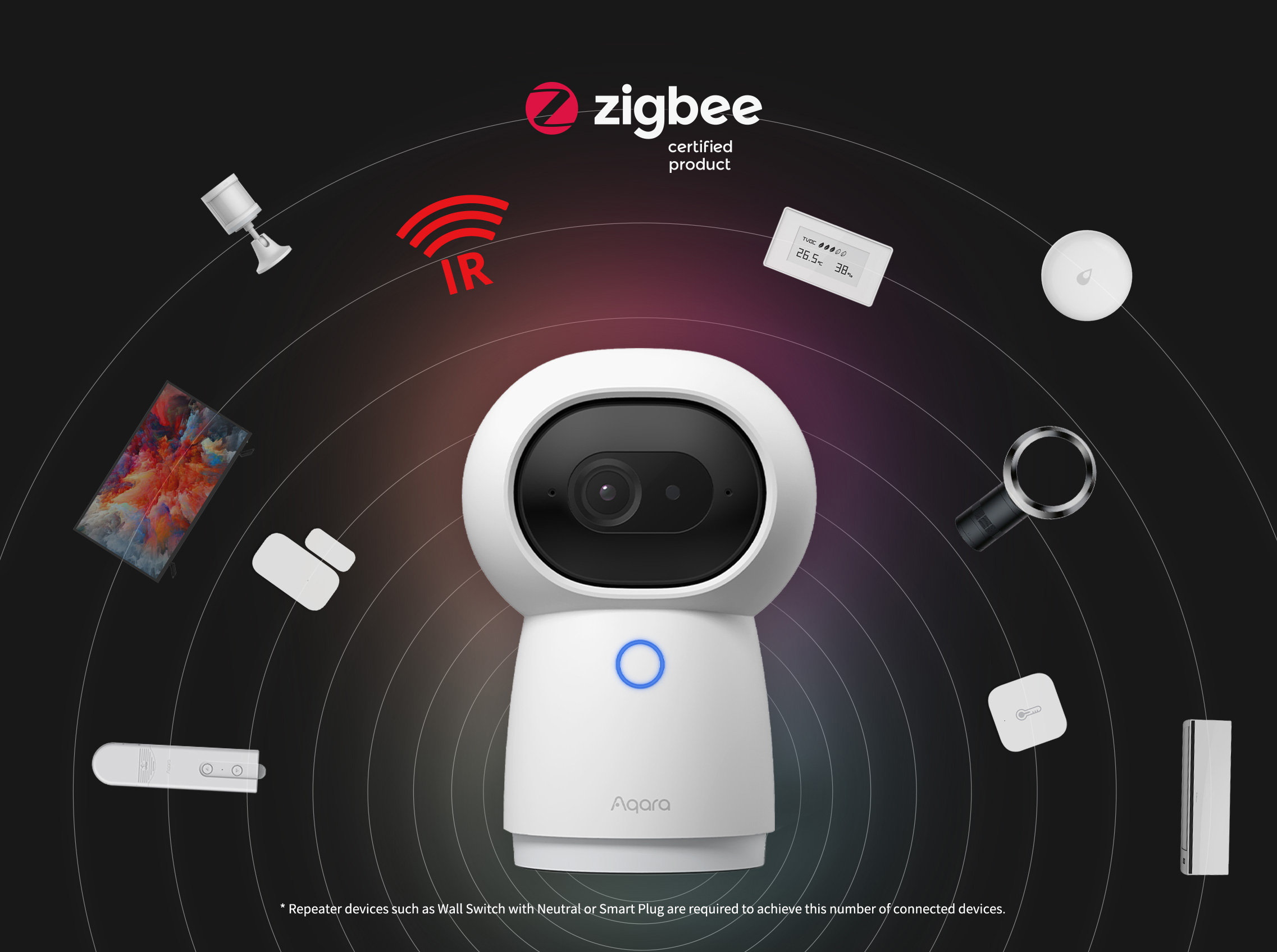
An indoor 2K pan-and-tilt camera with on-device face, gesture, and pet recognition, doubling as a Zigbee 3.0 hub for up to 128 Aqara devices and an omnidirectional IR blaster for legacy aircon and TVs.
Description
The Aqara Camera Hub G3 is a premium 2K (2304×1296) pan-and-tilt indoor camera that doubles as a full Zigbee 3.0 smart home hub and an omnidirectional IR blaster — three devices in one. Sold by PassionHome.sg — your Authorised Aqara Dealer in Singapore — with local availability, the official 24-month Aqara warranty, and Singapore-based service through the Aqara Service Center at Tai Seng.
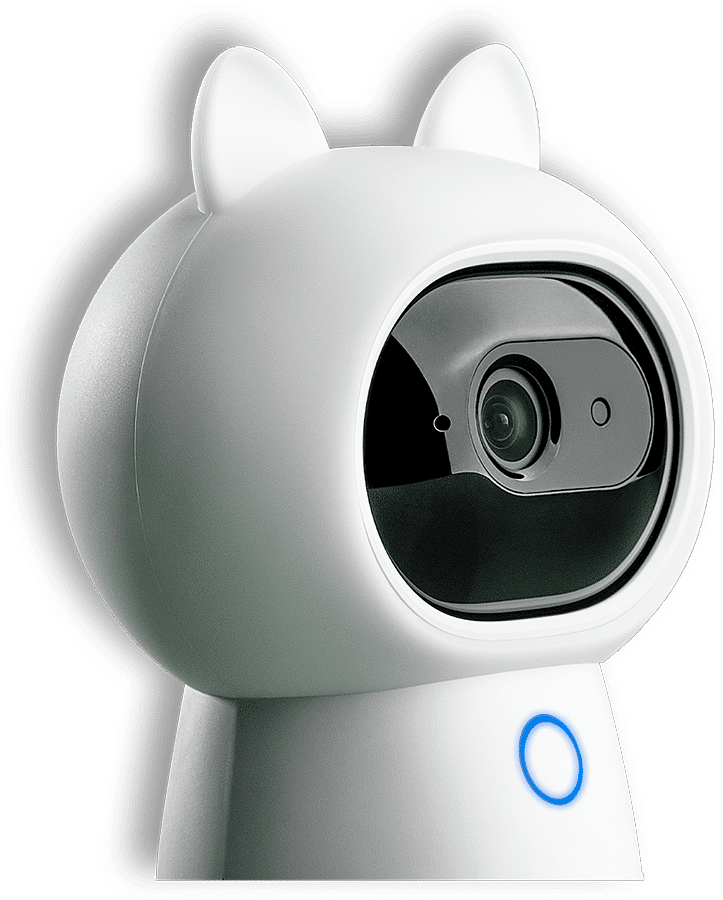
Why buy the Camera Hub G3 in Singapore
- Three devices in one. Most security cameras are just cameras. The G3 is a 2K AI security camera, a Zigbee 3.0 hub for up to 128 Aqara child devices, and an IR blaster for legacy aircon, TV, and fan control — all powered by a single USB-C cable.
- Singapore voltage and Wi-Fi ready. The included 5V/2A USB-C adapter runs on standard 220-240 VAC mains, and the camera connects over dual-band 2.4/5 GHz Wi-Fi 5 (802.11 a/b/g/n/ac) with WPA3 — compatible with every mainstream Singapore router and mesh system.
- True multi-ecosystem support. Apple HomeKit (with HKSV), Amazon Alexa, and Google Home all see the G3 as a streaming camera — a level of compatibility most premium HomeKit cameras cannot match. Aqara Home remains the primary app for advanced AI features and hub configuration.
- Authorised Aqara Dealer + 24-month warranty serviced in Singapore. PassionHome.sg ships genuine Singapore stock with the full official 24-month Aqara warranty and Singapore-based RMA at the Aqara Service Center, Tai Seng.
- Estate and group-buy pricing. Outfitting a BTO, condo, or whole-estate deployment with multiple G3 units? Ask about our group-buy programme for renovation packages and bulk-deployment quotes — significant discount when your estate unlocks.
2K AI security camera
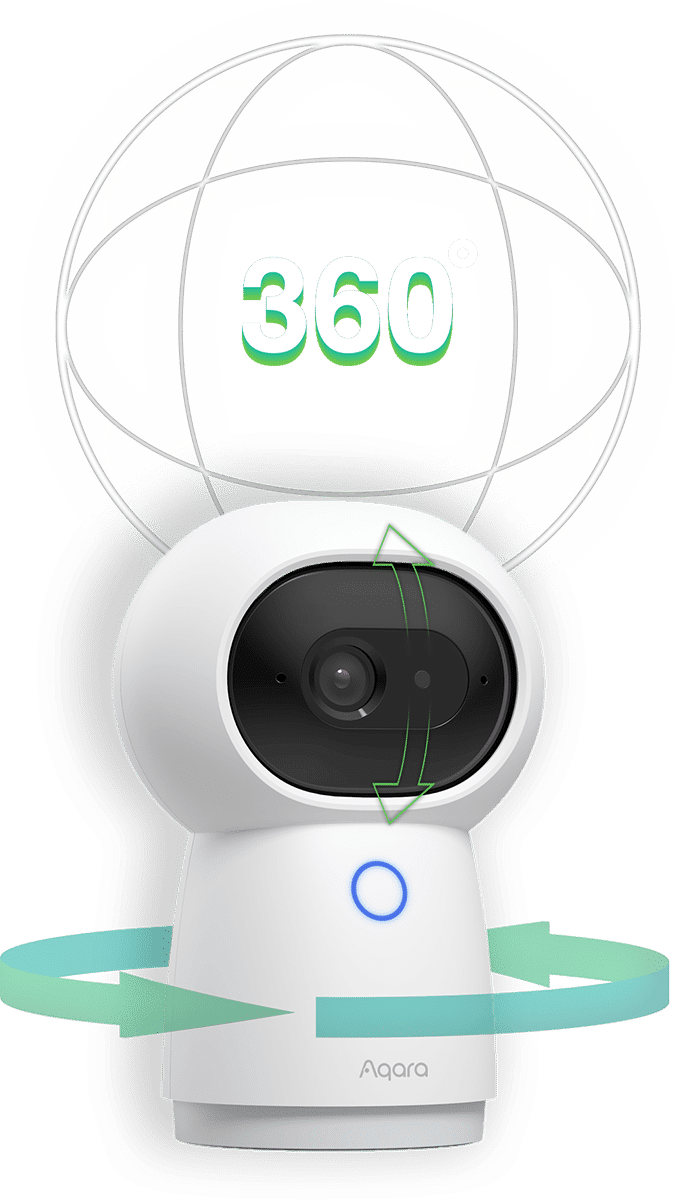
2304 × 1296 resolution + 340° pan / 45° tilt
The G3 streams at 2K resolution — 2304 × 1296 pixels, roughly 80% more detail than the 1080p baseline that most consumer cameras still use. The motorised gimbal pans 340° horizontally and tilts 45° vertically (30° upward + 15° downward), with a 110° wide-angle lens for room-scale coverage from a single placement. The fully rotatable base allows tabletop, wall, or inverted ceiling mount — combine pan + lens FoV and the G3 effectively sweeps a full 360° room view from one corner without changing position.
Aqara Edge Computing AI — face, gesture, and pet recognition
The G3 carries a dedicated NPU that runs three on-device recognition models entirely locally — nothing leaves the camera unless you ask it to. Face recognition identifies enrolled family members and triggers personalised automations. Gesture recognition controls scenes via five hand-signs: V sign, Four sign, High five, Finger gun, and OK sign. Pet recognition suppresses notifications when only the cat or dog is moving. All inference happens on the camera; recognition keeps working through internet outages. Per Aqara, when gesture detection is enabled, face / pet / personoid detection are paused to free up the NPU; turn gesture detection off in Aqara Home to restore the other AI channels.
HomeKit Secure Video — end-to-end encrypted iCloud footage
Once paired in Apple Home, the G3 can be set to HomeKit Secure Video (HKSV) mode. Motion clips are analysed locally on your home hub (HomePod, Apple TV, or iPad), then end-to-end encrypted and uploaded to your iCloud+ subscription — not even Apple can read them. iCloud+ Premier and Family plans cover an unlimited number of HKSV cameras for a flat monthly fee. Two HomeKit caveats per Aqara documentation: in HKSV mode the camera streams at 1080p (not 2K) and pan/tilt controls are frozen — both are HomeKit specification limits, not G3 hardware limits. Run dual-mode (HKSV + Aqara Home in parallel) to keep both the encrypted HomeKit stream and the full 2K Aqara stream with pan/tilt available. Apple Home does not support pan-tilt control natively; however, per Aqara’s FAQ, pan-tilt CAN be exposed in Apple Home via Advanced Matter Bridging on a HomePod or Apple TV running tvOS 17 or above — this is an Apple-side capability that requires a HomeKit residential hub.
Privacy mode — hardware physical masking
Activate “Comfort Mode” in Aqara Home and the camera tilts its head down into the housing so the lens is mechanically masked behind the body. This is hardware masking, not a software flag — the lens physically cannot see out of the device while in the down position. Manual or automatic activation (geofence, time-of-day, presence-sensor trigger). No internal shutter mechanism; the tilt-down posture is the privacy seal.
Smart home connectivity — Wi-Fi camera plus Zigbee 3.0 hub
Acts as a full Zigbee 3.0 hub (up to 128 child devices)
The G3 is a full Zigbee 3.0 coordinator and can manage up to 128 Aqara child devices — motion and presence sensors (P2, FP2, FP300), door and window sensors, water-leak sensors, smart wall switches, smart plugs, dimmer modules, curtain motors. It performs the same Zigbee hub role as a dedicated Aqara hub like the Hub M200 or the Hub M3, with the bonus of a built-in 2K camera and IR blaster. Per Aqara, when the G3 is part of an Ark-technology Aqara network, certain other hub-capable Aqara devices can act as proxy hubs in the event of a power outage or fault — providing localised disaster-recovery for basic automations and scenes.
Apple HomeKit, Alexa, and Google Home — camera profile on all three
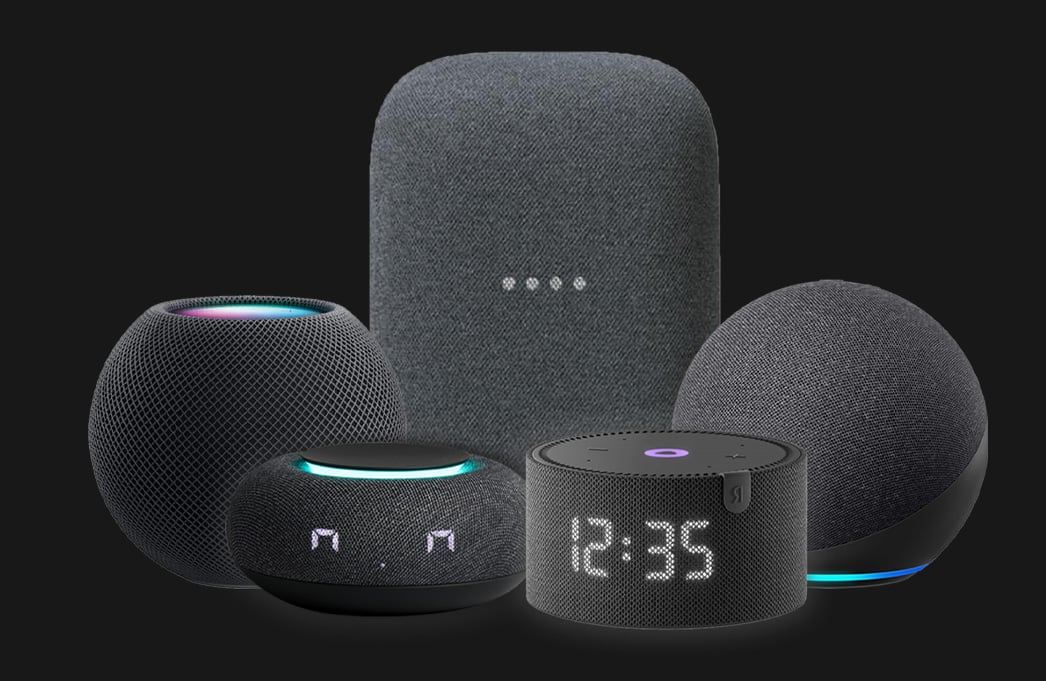
Unlike most premium HomeKit cameras, the G3 exposes itself as a streaming camera in Apple HomeKit, Amazon Alexa, and Google Home all three — pull live-view onto an Echo Show, a Nest Hub, or an Apple TV at will. The Aqara Home app is the primary surface for advanced features (face / gesture / pet AI, pan/tilt presets, 2K stream); the third-party ecosystems get the streaming camera plus voice control. The G3 also exposes Zigbee-bridged children (the up-to-128 device count) into Apple HomeKit, Alexa, and Google Home via the Aqara Home cloud bridge.
Home Assistant via HomeKit Controller
Home Assistant users can pair the G3 through its HomeKit Controller integration for native HA entities with local control and no cloud dependency. Note: Aqara does not officially document Home Assistant integration — this is a community-supported integration, not Aqara-endorsed.
Matter support — not on G3 (G350 holds the Matter Camera profile; G5 Pro Hub + M3 Matter-bridge Zigbee children)
The G3 itself does NOT expose a Matter Camera profile. Matter 1.5 added the camera device type, and the Aqara Camera Hub G350 launched as the world’s first Matter-certified camera — but Aqara has not published Matter-camera firmware for the G3 specifically, and the G3 is not Matter-certified. Equally important: while the G3 acts as a Zigbee 3.0 hub for its connected Aqara children, it does NOT Matter-bridge those children — only the Hub M3, the G350, and the G5 Pro Hub Matter-bridge their Zigbee children into Apple Home / Google Home / Alexa / SmartThings under the Matter standard. If a Matter Camera profile is a hard requirement today, the G350 is Aqara’s only currently-shipping option (world’s first Matter-certified camera; the G5 Pro Hub Matter-bridges its connected Aqara Zigbee children but is not itself Matter-Camera-certified — it is a Matter Bridge, not a Matter camera).
IR blaster — control legacy aircon, TV, and fan
Air conditioner, TV, fan — from any voice assistant
The G3’s built-in omnidirectional IR controller turns any legacy infrared appliance into a virtual smart device. Aqara Home ships with a large library of pre-set IR codes for major aircon, TV, and fan brands; for less common appliances you can teach custom codes by pointing your existing remote at the G3 and pressing each button once. Once added, the appliance becomes a virtual smart device that Apple Home, Amazon Alexa, and Google Home can all control by voice or automation. Combined with an Aqara presence sensor like the FP2 or FP300, this is the easiest way to add “aircon off when no one is home for 15 minutes” to a Singapore HDB or condo.
Placement and line-of-sight considerations
Although the G3’s IR emitter is omnidirectional (rather than a single-direction blaster), IR signals still need line-of-sight to reach an appliance’s IR receiver. Practical guidance: place the G3 in the same room as the appliance, with the camera oriented so its body is not obstructed by furniture, partitions, or thick fabric. Typical effective range for consumer IR receivers is 6-8 metres in a typical Singapore HDB living room. If you have multiple rooms to control (e.g. master bedroom aircon + living-room TV), consider one G3 per room — alternatively, the smaller Hub M200 or Hub M3 each have their own IR emitters and can complement the G3’s coverage.
Automation triggers — turn aircon off when no one is home
Combine the G3’s IR control with Aqara presence sensors, door/window sensors, or geofence triggers to automate appliance state without touching a remote. Examples: aircon off when the front-door sensor reports “closed + no presence detected for 15 minutes”; TV pause when the living-room presence sensor reports no occupancy for 5 minutes; ceiling fan to medium when the temperature sensor crosses 28 °C. All these run as local Aqara automations on the G3 (or whichever hub holds the children) — no internet required for trigger or action.
Storage and footage retention
microSD card — local recording (up to 128 GB, Class 4 or above)
The G3 supports a single microSD card slot, up to 128 GB capacity, Class 4 or above. Supported file systems: exFAT and FAT32. The microSD card is not included in the box — add a 64 GB or 128 GB card on first setup. Local recording continues even when the camera loses internet connection — clips saved during an outage are accessible via the Aqara Home app once connectivity is restored (they cannot be remotely viewed during the outage itself). Combined with the integrated events label feature, local recordings can be auto-tagged with the triggering event (door open, motion detected, etc.) for fast retrieval.
HomeKit Secure Video — end-to-end encrypted iCloud
Motion clips analysed locally on your Apple home hub (HomePod / Apple TV / iPad) are end-to-end encrypted and uploaded to your iCloud+ subscription. iCloud+ Premier and Family plans cover an unlimited number of HKSV cameras for a flat monthly fee. Retention defaults to 10 days; not even Apple can read the encrypted clips. Remember the HKSV caveats — 1080p cap + pan/tilt frozen.
Setup and placement in Singapore homes
USB-C power, tabletop or wall mount
The G3 powers via USB-C at 5V/2A, drawing up to 10W maximum. Place on a side table, bookshelf, or TV console as the default tabletop deployment — the magnetic base stabilises the camera during pan/tilt motion. For a wall or inverted ceiling mount, the bottom of the G3 carries a standard 1/4″ threaded screw hole — compatible with any tripod or third-party camera mount that uses a 1/4″ screw. The Aqara G3 Stand accessory is the recommended dedicated wall stand and is sold separately. For inverted ceiling mount, enable “Place Upside Down” in Aqara Home Settings → Camera Settings → Installation Methods so the gimbal control and image orientation work correctly.
Wi-Fi 2.4 / 5 GHz dual-band — network considerations
The G3 supports both 2.4 GHz and 5 GHz Wi-Fi bands (802.11 a/b/g/n/ac — that’s Wi-Fi 5, not Wi-Fi 6) with WPA3 security. On a typical Singapore mesh router (Netgear Orbi, ASUS ZenWiFi, TP-Link Deco, Linksys Velop), the camera will pick whichever band has the best signal. Per Aqara FAQ, the G3 supports WEP / WPA / WPA2 / WPA3 / WPA-PSK / WPA2-PSK encryption — WPA3 recommended where compatible. Bandwidth budget: 2K streaming uses dynamic bitrate up to 3.5 Mbps peak — both your upload and download should comfortably exceed this for smooth remote viewing.
Pairing as a Zigbee hub for FP-series sensors and H-series switches
To use the G3 as a Zigbee hub, first add the camera to Aqara Home via the QR-code pairing flow (point the camera lens at the QR code generated by Aqara Home; hold the phone 8-20 cm from the lens on a screen at least 4.7″ diagonal for reliable scan). Once the G3 is online, navigate to the device’s Sub-devices section in Aqara Home and add Zigbee children one by one — each Aqara Zigbee sensor (FP1E, FP2, FP300, P2, T1, W100), switch (H2 Dimmer, etc.), or actuator can pair to the G3 directly. The G3 then bridges those children into your Apple HomeKit / Alexa / Google Home through the Aqara Home cloud (not via Matter — see the Matter section above).
Technical specifications (CH-H03)
| Product name | Aqara Camera Hub G3 (Global Edition) |
| Model number | CH-H03 |
| Dimensions | 123.4 × 85.1 × 67.8 mm (4.86 × 3.35 × 2.67 in.) |
| Image sensor / resolution | 2K — 2304 × 1296p (1080p cap in HomeKit Secure Video mode) |
| Field of view | 110° wide-angle |
| Pan / Tilt range | Horizontal 340°; vertical 45° (30° upward + 15° downward) |
| Audio | Two-way audio with built-in microphone and speaker |
| Local AI | On-device NPU: face recognition + gesture recognition (V sign, Four sign, High five, Finger gun, OK sign) + pet recognition |
| Privacy | Comfort Mode — physical masking via tilt-down posture |
| Wireless protocols | Zigbee 3.0 (IEEE 802.15.4); Wi-Fi 802.11 a/b/g/n/ac 2.4/5 GHz with WPA3; omnidirectional IR transmitter |
| Zigbee hub capacity | Up to 128 Aqara child devices |
| Matter | Not supported on G3 itself; G3 does NOT Matter-bridge its Zigbee children (G350 / G5 Pro Hub / M3 are the Matter-bridging hubs in the Aqara line) |
| Ecosystem support | Apple HomeKit (with HKSV — 1080p cap + pan/tilt frozen), Amazon Alexa, Google Home, Aqara Home; Home Assistant via HomeKit Controller; IFTTT / Yandex Alice / VK Marusya per Aqara (IFTTT integration may be region-dependent; Yandex / VK are non-SG voice assistants) |
| Local storage | microSD up to 128 GB, Class 4 or above (exFAT or FAT32); not included |
| Cloud storage | HomeKit Secure Video end-to-end encrypted to iCloud+ |
| Bandwidth (peak) | Up to 3.5 Mbps dynamic bitrate for 2K streaming |
| Wall / ceiling mount | Standard 1/4″ threaded screw hole on the base; compatible with the Aqara G3 Stand and most tripod-style mounts |
| Power input | 5V DC, 2A via USB-C; max 10W |
| Operating temperature | −10 °C to 40 °C (14 °F to 104 °F) |
| Operating humidity | 0 to 95% RH, non-condensing |
| Indoor / outdoor | Indoor only — no IP rating (per Aqara support page title “Aqara 2K Security Indoor Camera Hub G3”) |
| Warranty | 24 months, serviced at the Aqara Service Center, Tai Seng (Singapore) |
What’s in the box
- 1 × Aqara Camera Hub G3 (CH-H03)
- 1 × USB-C power adapter (Aqara base SKU includes a power adapter and power cable)
- 1 × USB-C power cable
- 1 × Quick-start user manual
A microSD card is not included — most users add a 64 GB or 128 GB Class 4+ card on first setup. The Aqara G3 Stand accessory for dedicated wall mounting is sold separately.
G3 vs G100 vs G350 vs G5 Pro Hub — which Aqara camera is right for you?
| G3 | G100 | G350 | G5 Pro Hub | |
| Form factor | Pan/tilt indoor | Fixed-angle indoor + outdoor | Pan/tilt indoor with dual-lens 9× hybrid zoom | Fixed-orientation outdoor with Matter Bridge + Thread Border Router |
| Resolution | 2K (2304 × 1296) | 2K (2304 × 1296) | 4K wide-angle (3840 × 2160) + 2.5K telephoto (2560 × 1440) | 2.6K Quad HD (2688 × 1520) single-lens |
| Field of view | 110° wide-angle | 140° wide-angle | 133° wide-angle + 43° telephoto | 133° diagonal |
| Pan / Tilt | 340° pan + 45° tilt | None (fixed) | 360° pan with 30 presets | None — fixed orientation (rotatable mounting stand only) |
| Acts as Aqara Zigbee hub | Yes — up to 128 children | No (Wi-Fi camera only) | Yes — Zigbee + Thread | Yes — Zigbee + Thread |
| Matter Controller / Bridge for Zigbee children | No (Zigbee hub only, no Matter) | No | Yes — Matter Controller + Matter Bridge | Yes — Matter Controller + Matter Bridge |
| Matter Camera profile | No | No | Yes — world’s first Matter-certified camera (currently exposed via Samsung SmartThings only) | No — G5 Pro Hub is a Matter Bridge for its Zigbee children, NOT a Matter-certified camera (G350 holds that distinction) |
| Wi-Fi | Wi-Fi 5 dual-band 2.4 / 5 GHz | Wi-Fi 6 single-band 2.4 GHz only | Wi-Fi 6 dual-band 2.4 / 5 GHz | Wi-Fi 5 (802.11 b/g/n/ac) — NOT Wi-Fi 6 |
| IR blaster | Yes — omnidirectional | No | No | No |
| HKSV | Yes (1080p cap, pan/tilt frozen) | Yes — 1080p cap directly Aqara-cited | Yes (1080p cap) | Yes (Apple-standard 1080p platform cap — not directly Aqara-cited for this SKU) |
| Local AI | Face / gesture / pet (NPU) | Person + false-alarm filter local; pets / vehicles / packages / faces require Cloud AI (HomeGuardian subscription) | Person / pet / face / smile / gesture / lens-obstruction + 6 sound detections (baby cry, dog bark, cough, snore, loud noise, alarm) | Visual AI 7-in-1 (faces / individual vehicles / people / animals / lingering individuals / lens obstruction / delivered packages) + Audio AI 4-in-1 (alarms and baby cries verbatim Aqara-cited; full 4-category Audio list reserved) |
| Night vision | IR (mono) | IR (mono) + colour spotlight (f/1.8 aperture) | IR (mono) | True Color Night Vision via f/1.0 aperture + graphene-cooled 1/1.8″ sensor (no IR fallback advertised) |
| microSD cap | Up to 128 GB (Class 4+) | Up to 512 GB (Class 10+) | Up to 512 GB (Class 10+) | Not supported — 32 GB built-in encrypted eMMC with NAS backup |
| IP rating | None — indoor only | IP65 — indoor + outdoor | None — indoor only | IP65 — outdoor flagship |
| Power | USB-C 5V/2A; adapter + cable in box | USB-C 5V/1A; cable in box (adapter not included) | USB-C 5V/2A; cable in box | PoE 48V/0.27A (IEEE 802.3af) OR USB-C 5V/2A |
| Best for | Indoor room + Zigbee hub + IR appliance control combo | Covered outdoor or single-zone indoor with weather tolerance | Indoor flagship — 4K + 9× zoom + Matter Camera | Outdoor flagship — IP65 + Matter Bridge + Thread Border Router + Zigbee hub (with PoE option) |
The G3 is the choice when you want a single device that handles your camera, your Aqara Zigbee sensor mesh, and your aircon/TV remote — three roles, one USB-C plug, one indoor placement. The G100 is the choice when you need outdoor weather tolerance (IP65) and a fixed-angle 2K view rather than pan/tilt. The G350 is the indoor flagship when you need 4K + 9× zoom or Matter Camera profile bridging. The G5 Pro Hub is the outdoor flagship combining IP65 weather rating + PoE-or-USB-C power + Matter Bridge (Zigbee children exposed under Matter) + Thread Border Router + Aqara Zigbee hub in one outdoor-rated chassis. Note: the G5 Pro Hub itself is fixed-orientation (no pan/tilt) and is not Matter-Camera-certified (G350 holds that distinction).
Warranty and authorised-dealer details
PassionHome.sg is an Authorised Aqara Dealer in Singapore, listed on Aqara’s official partner network. All Aqara products sold here:
- Carry the official 24-month Aqara manufacturer warranty
- Are sourced direct from Aqara distribution channels — never grey-market
- Are SG-voltage and SG-frequency stock — no transformer or step-down needed
- Are covered by Singapore-based warranty service through the Aqara Service Center at Tai Seng — no overseas RMA
Warranty term: 24 months from purchase date. For warranty claims, bring the unit to the Aqara Service Center at Tai Seng — Singapore’s official Aqara warranty service location. PassionHome can help guide you through the warranty process if you run into any issues; reach out via WhatsApp +65 9051 7063.
Frequently asked questions
<!– wp:rank-math/faq-block {"questions":[{"id":"faq-g3-1","title":"Does the G3 work as a Zigbee hub for other Aqara devices?","content":"
Yes. The G3 is a full Zigbee 3.0 coordinator and can manage up to 128 Aqara child devices including motion and presence sensors, door and window sensors, water-leak sensors, smart wall switches, smart plugs, dimmer modules, and curtain motors. It performs the same Zigbee hub role as a dedicated Aqara hub such as the Hub M200 or the Hub M3, with the bonus of a built-in 2K camera and IR blaster. Important caveat: while the G3 acts as a Zigbee hub, it does NOT Matter-bridge its Zigbee children into Apple Home / Google Home / Alexa under the Matter standard — only the Hub M3, the G350, and the G5 Pro Hub do that.
“,”visible”:true},{“id”:”faq-g3-2″,”title”:”Does the G3 support HomeKit Secure Video?”,”content”:”Yes. Once paired in Apple Home, the G3 can be set to HomeKit Secure Video (HKSV) mode and motion clips are analysed locally on your Apple home hub (HomePod / Apple TV / iPad), then end-to-end encrypted and uploaded to your iCloud+ subscription — not even Apple can read them. iCloud+ Premier and Family plans cover an unlimited number of HKSV cameras for a flat monthly fee. In HKSV mode the camera streams at 1080p (not 2K) with pan/tilt controls frozen — both are HomeKit specification limits, not G3 hardware limits. Run dual-mode (HKSV + Aqara Home stream in parallel) if you want both the encrypted HomeKit feed and the full 2K Aqara stream with pan/tilt available.
“,”visible”:true},{“id”:”faq-g3-3″,”title”:”Does the G3 work with Google Home, Alexa, and Matter?”,”content”:”Google Home and Alexa: yes — unlike most premium HomeKit cameras, the G3 exposes itself as a streaming camera in Apple HomeKit, Amazon Alexa, and Google Home all three. You can pull live-view onto an Echo Show, a Nest Hub, or an Apple TV at will. Matter: not on G3. Matter 1.5 added a camera device type and Aqara’s G350 was the first Matter-certified camera to ship; Aqara has not published Matter-camera firmware for the G3 specifically. The G3 is also NOT a Matter Bridge — its Zigbee children stay in Aqara Home (and exposed to HomeKit / Alexa / Google via Aqara’s cloud bridge), not exposed via Matter. If Matter-native camera or Matter-bridged Zigbee children are a hard requirement, look at the G350, the G5 Pro Hub, or the Hub M3.
“,”visible”:true},{“id”:”faq-g3-4″,”title”:”What AI detection does the G3 do locally?”,”content”:”The G3 has a dedicated NPU that runs three on-device recognition models entirely locally: face recognition (identifies enrolled family members and triggers personalised automations), gesture recognition (controls scenes via five hand-signs — V sign, Four sign, High five, Finger gun, OK sign), and pet recognition (suppresses notifications when only the cat or dog is moving). All inference happens on the camera — nothing is sent to the cloud unless you explicitly enable a cloud option — and recognition keeps working through internet outages. Per Aqara, when gesture detection is enabled, the face / pet / personoid detection channels are paused to free up NPU resources; turn gesture detection off in Aqara Home to restore the other AI channels.
“,”visible”:true},{“id”:”faq-g3-5″,”title”:”How do I set up face recognition?”,”content”:”When you first enable face detection, Aqara Home will guide you through adding and synchronising face information to the camera. Face data is stored on Aqara’s cloud servers by household unit. You can synchronise face information to multiple G3 cameras for batch operations, or add / import faces through the device settings → face management interface. You can actively delete face information at any time, and a factory reset will clear all uploaded face data. Face recognition can serve as a condition for home security automations (alerts for unfamiliar or marked faces, triggering scenes, etc.).
“,”visible”:true},{“id”:”faq-g3-6″,”title”:”Can the G3’s AI detection work in night vision mode?”,”content”:”Per Aqara, the gesture, face, person, and pet detection algorithms rely on image color information. The G3’s night vision mode produces a greyscale image, which reduces detection accuracy. Aqara recommends using AI detection only in colour mode — if your room is dim, consider enabling a small ambient light source (or using a complementary camera with a built-in colour-night-vision spotlight like the G100) so the G3 stays in colour mode after dark.
“,”visible”:true},{“id”:”faq-g3-7″,”title”:”What’s the difference between the G3 and the G100?”,”content”:”The G3 is a premium pan-and-tilt 2K camera with a built-in Zigbee 3.0 hub and an omnidirectional IR blaster — effectively three devices in one. The G100 is a smaller fixed-angle 2K camera with HKSV, IP65 weather-resistance, and a built-in colour-night-vision spotlight — but with no Zigbee hub and no IR blaster. Choose the G3 if you want one device that handles your camera, your sensor mesh, and your aircon/TV remote indoors. Choose the G100 if you need covered outdoor placement (IP65) or already run a separate Aqara hub elsewhere and just want a clean weather-resistant camera. See the G3 vs G100 vs G350 vs G5 Pro Hub comparison table above for the full breakdown.
“,”visible”:true},{“id”:”faq-g3-8″,”title”:”Can I use the G3 outdoors or in a bathroom?”,”content”:”No. The G3 is indoor-only with no IP rating (per Aqara’s own support page title, “Aqara 2K Security Indoor Camera Hub G3”). For outdoor deployment, choose the Aqara Smart Camera G5 Pro Hub — Aqara’s IP65 outdoor flagship with Matter Camera profile, Thread Border Router, and Zigbee hub built in — or the Aqara Camera G100 (IP65 indoor/outdoor fixed-angle with colour night vision). Keep the G3 in living rooms, bedrooms, studies, kitchens, and entryways where it stays dry.
“,”visible”:true},{“id”:”faq-g3-9″,”title”:”How is footage stored and is it encrypted?”,”content”:”Three independent paths, combine any of them. (1) microSD card up to 128 GB inside the camera for local recording (exFAT or FAT32 file system; Class 4 or above). Local recording continues even when the camera loses internet, with clips accessible via Aqara Home once connectivity is restored. (2) HomeKit Secure Video: end-to-end encrypted into your iCloud+ subscription — not even Apple can read the clips. Many households run microSD + HKSV in parallel for redundancy.
“,”visible”:true},{“id”:”faq-g3-10″,”title”:”Can I view the G3 from multiple devices at the same time?”,”content”:”Per Aqara, there is no hard limit on concurrent viewer connections — but Aqara recommends a maximum of 4 clients viewing simultaneously. Beyond that, the camera’s processor resources are consumed by the encoding workload and you’ll see lag, delays, and dropped frames in the real-time picture. For larger households, set up role-based access in Aqara Home so the live-view sees a representative subset, and rely on motion-triggered clips for event review rather than continuous streaming.
“,”visible”:true},{“id”:”faq-g3-11″,”title”:”How can I get pan/tilt control in Apple Home?”,”content”:”Apple Home itself does not currently support controlling the G3’s pan/tilt — that’s an Apple-side limitation in the Apple Home app. However, per Aqara’s FAQ, pan/tilt CAN be exposed inside Apple Home via Advanced Matter Bridging on a HomePod or Apple TV running tvOS 17 or above. This is an Apple-side capability that requires a HomeKit residential hub (HomePod / HomePod mini / Apple TV) on tvOS 17+ — it lets the G3’s pan/tilt commands surface as Matter controls inside Apple Home. If you don’t have an Apple home hub, pan/tilt control remains in the Aqara Home app.
“,”visible”:true},{“id”:”faq-g3-12″,”title”:”What’s Ark technology and proxy hub disaster recovery?”,”content”:”Ark is Aqara’s distributed multi-level localised disaster-recovery technology (currently version 2.0). When an Aqara hub device (like the Hub M3, the G3 camera, the P3 Air Conditioning Companion, or other Aqara hub-capable devices) experiences a malfunction or power outage, certain connected Zigbee devices that are themselves capable of acting as proxy hubs will take over execution of basic local automations and scenes. Proxy-hub-capable devices include the Aqara S1 Smart Scene Panel Switch, the C3 Curtain Motor, the T1 Light Strip and Driver, the T1 Colour Ceiling Light, the V1 Spotlight, and the H2 Smart Wall Outlet (each requires a minimum firmware version). Proxy-hub disaster recovery supports simple automation conditions and actions only — switch clicks, device on/off — not complex multi-condition automations.
“,”visible”:true},{“id”:”faq-g3-13″,”title”:”Does the G3 work in Singapore HDB and condo flats?”,”content”:”Yes. The G3 ships with a 5V / 2A USB-C adapter that runs on standard 220-240 VAC mains, and it connects to dual-band 2.4 / 5 GHz Wi-Fi (802.11 a/b/g/n/ac) with WPA3 — compatible with every mainstream Singapore router and mesh system. Per Aqara, the camera supports WEP / WPA / WPA2 / WPA3 / WPA-PSK / WPA2-PSK encryption (WPA3 recommended where compatible). The Zigbee hub function works regardless of router brand and uses 2.4 GHz Zigbee, which does not interfere with your Wi-Fi. The G3’s adjustable IR blaster and Aqara Home’s pre-set IR codes for major brands make it a natural fit for legacy aircon and TV control in a typical HDB living room.
“,”visible”:true},{“id”:”faq-g3-14″,”title”:”Can the G3 control my air conditioner via the IR blaster?”,”content”:”Yes. Aqara Home ships with a large library of pre-set IR codes for major aircon, TV, and fan brands; for less common appliances you can teach custom codes by pointing your existing remote at the G3 and pressing each button once (the IR controller supports both pre-set and custom-learned codes). Once added, the appliance becomes a virtual smart device that Apple Home, Alexa, and Google Home can all control by voice or automation. Combined with an Aqara presence sensor like the FP2 or FP300, this is the easiest way to add “aircon off when no one is home for 15 minutes” to a Singapore HDB or condo.
“,”visible”:true},{“id”:”faq-g3-15″,”title”:”What microSD cards does the G3 support, and what file system?”,”content”:”Per Aqara, the G3 supports microSD cards up to 128 GB with Class 4 or above performance, in exFAT or FAT32 format. The card is not included in the box. Local recording continues during internet outages, with clips accessible via Aqara Home once connectivity is restored (they cannot be remotely viewed during the outage itself). The integrated events label feature auto-tags local recordings with the triggering event (door open, motion detected, etc.) for fast retrieval — configure under Settings → More Settings → Alert Setting → select Trigger Device → assign Color → Save.
“,”visible”:true},{“id”:”faq-g3-16″,”title”:”What mounts are compatible with the G3?”,”content”:”The G3 has a standard 1/4″ threaded screw hole on the bottom, allowing compatibility with any tripod-style mount or third-party camera mount that uses a 1/4″ screw. The dedicated Aqara G3 Stand accessory is the recommended wall stand and is sold separately. For inverted ceiling mount, enable “Place Upside Down” in Aqara Home Settings → Camera Settings → Installation Methods so the gimbal control and video display orient correctly. If the gimbal becomes disorientated (e.g. after manually adjusting the head while powered on), run one-click gimbal calibration under Settings → Gimbal Settings to recalibrate.
“,”visible”:true},{“id”:”faq-g3-17″,”title”:”What’s the bandwidth requirement?”,”content”:”The G3 uses dynamic bitrate technology — when the camera is moving (pan/tilt) the bitrate peaks at 3.5 Mbps. For smooth remote viewing, both your upload and download bandwidth should comfortably exceed this rate. On a typical Singapore fibre connection (1 Gbps download / 500-700 Mbps upload), this is well within budget. For 4G/5G mobile fallback, dynamic bitrate will automatically scale down to fit available bandwidth — quality drops but the stream stays connected.
“,”visible”:true},{“id”:”faq-g3-18″,”title”:”Is there a local Singapore warranty?”,”content”:”Yes. The Aqara G3 ships with a 24-month manufacturer warranty serviced at the Aqara Service Center at Tai Seng (Singapore). PassionHome can guide you through the warranty process if needed — reach out via WhatsApp +65 9051 7063. Bring the unit to the Tai Seng service centre directly; PassionHome’s Ubi office is for product collection only, not warranty intake.
“,”visible”:true},{“id”:”faq-g3-19″,”title”:”How is PassionHome’s price compared to other resellers?”,”content”:”We sell at the same MSRP as other Authorised Aqara Dealers in Singapore. The advantages of buying from PassionHome are local availability, Singapore-based Aqara warranty service via the Tai Seng service centre, and access to estate group-buy rates for HDB BTOs — significant discount when your estate unlocks. See active group-buys for current rounds.
“,”visible”:true}]} –>Does the G3 work as a Zigbee hub for other Aqara devices?
Yes. The G3 is a full Zigbee 3.0 coordinator and can manage up to 128 Aqara child devices including motion and presence sensors, door and window sensors, water-leak sensors, smart wall switches, smart plugs, dimmer modules, and curtain motors. It performs the same Zigbee hub role as a dedicated Aqara hub such as the Hub M200 or the Hub M3, with the bonus of a built-in 2K camera and IR blaster. Important caveat: while the G3 acts as a Zigbee hub, it does NOT Matter-bridge its Zigbee children into Apple Home / Google Home / Alexa under the Matter standard — only the Hub M3, the G350, and the G5 Pro Hub do that.
Does the G3 support HomeKit Secure Video?
Yes. Once paired in Apple Home, the G3 can be set to HomeKit Secure Video (HKSV) mode and motion clips are analysed locally on your Apple home hub (HomePod / Apple TV / iPad), then end-to-end encrypted and uploaded to your iCloud+ subscription — not even Apple can read them. iCloud+ Premier and Family plans cover an unlimited number of HKSV cameras for a flat monthly fee. In HKSV mode the camera streams at 1080p (not 2K) with pan/tilt controls frozen — both are HomeKit specification limits, not G3 hardware limits. Run dual-mode (HKSV + Aqara Home stream in parallel) if you want both the encrypted HomeKit feed and the full 2K Aqara stream with pan/tilt available.
Does the G3 work with Google Home, Alexa, and Matter?
Google Home and Alexa: yes — unlike most premium HomeKit cameras, the G3 exposes itself as a streaming camera in Apple HomeKit, Amazon Alexa, and Google Home all three. You can pull live-view onto an Echo Show, a Nest Hub, or an Apple TV at will. Matter: not on G3. Matter 1.5 added a camera device type and Aqara’s G350 was the first Matter-certified camera to ship; Aqara has not published Matter-camera firmware for the G3 specifically. The G3 is also NOT a Matter Bridge — its Zigbee children stay in Aqara Home (and exposed to HomeKit / Alexa / Google via Aqara’s cloud bridge), not exposed via Matter. If Matter-native camera or Matter-bridged Zigbee children are a hard requirement, look at the G350, the G5 Pro Hub, or the Hub M3.
What AI detection does the G3 do locally?
The G3 has a dedicated NPU that runs three on-device recognition models entirely locally: face recognition (identifies enrolled family members and triggers personalised automations), gesture recognition (controls scenes via five hand-signs — V sign, Four sign, High five, Finger gun, OK sign), and pet recognition (suppresses notifications when only the cat or dog is moving). All inference happens on the camera — nothing is sent to the cloud unless you explicitly enable a cloud option — and recognition keeps working through internet outages. Per Aqara, when gesture detection is enabled, the face / pet / personoid detection channels are paused to free up NPU resources; turn gesture detection off in Aqara Home to restore the other AI channels.
How do I set up face recognition?
When you first enable face detection, Aqara Home will guide you through adding and synchronising face information to the camera. Face data is stored on Aqara’s cloud servers by household unit. You can synchronise face information to multiple G3 cameras for batch operations, or add / import faces through the device settings → face management interface. You can actively delete face information at any time, and a factory reset will clear all uploaded face data. Face recognition can serve as a condition for home security automations (alerts for unfamiliar or marked faces, triggering scenes, etc.).
Can the G3’s AI detection work in night vision mode?
Per Aqara, the gesture, face, person, and pet detection algorithms rely on image color information. The G3’s night vision mode produces a greyscale image, which reduces detection accuracy. Aqara recommends using AI detection only in colour mode — if your room is dim, consider enabling a small ambient light source (or using a complementary camera with a built-in colour-night-vision spotlight like the G100) so the G3 stays in colour mode after dark.
What’s the difference between the G3 and the G100?
The G3 is a premium pan-and-tilt 2K camera with a built-in Zigbee 3.0 hub and an omnidirectional IR blaster — effectively three devices in one. The G100 is a smaller fixed-angle 2K camera with HKSV, IP65 weather-resistance, and a built-in colour-night-vision spotlight — but with no Zigbee hub and no IR blaster. Choose the G3 if you want one device that handles your camera, your sensor mesh, and your aircon/TV remote indoors. Choose the G100 if you need covered outdoor placement (IP65) or already run a separate Aqara hub elsewhere and just want a clean weather-resistant camera. See the G3 vs G100 vs G350 vs G5 Pro Hub comparison table above for the full breakdown.
Can I use the G3 outdoors or in a bathroom?
No. The G3 is indoor-only with no IP rating (per Aqara’s own support page title, “Aqara 2K Security Indoor Camera Hub G3”). For outdoor deployment, choose the Aqara Smart Camera G5 Pro Hub — Aqara’s IP65 outdoor flagship with Matter Camera profile, Thread Border Router, and Zigbee hub built in — or the Aqara Camera G100 (IP65 indoor/outdoor fixed-angle with colour night vision). Keep the G3 in living rooms, bedrooms, studies, kitchens, and entryways where it stays dry.
How is footage stored and is it encrypted?
Three independent paths, combine any of them. (1) microSD card up to 128 GB inside the camera for local recording (exFAT or FAT32 file system; Class 4 or above). Local recording continues even when the camera loses internet, with clips accessible via Aqara Home once connectivity is restored. (2) HomeKit Secure Video: end-to-end encrypted into your iCloud+ subscription — not even Apple can read the clips. Many households run microSD + HKSV in parallel for redundancy.
Can I view the G3 from multiple devices at the same time?
Per Aqara, there is no hard limit on concurrent viewer connections — but Aqara recommends a maximum of 4 clients viewing simultaneously. Beyond that, the camera’s processor resources are consumed by the encoding workload and you’ll see lag, delays, and dropped frames in the real-time picture. For larger households, set up role-based access in Aqara Home so the live-view sees a representative subset, and rely on motion-triggered clips for event review rather than continuous streaming.
How can I get pan/tilt control in Apple Home?
Apple Home itself does not currently support controlling the G3’s pan/tilt — that’s an Apple-side limitation in the Apple Home app. However, per Aqara’s FAQ, pan/tilt CAN be exposed inside Apple Home via Advanced Matter Bridging on a HomePod or Apple TV running tvOS 17 or above. This is an Apple-side capability that requires a HomeKit residential hub (HomePod / HomePod mini / Apple TV) on tvOS 17+ — it lets the G3’s pan/tilt commands surface as Matter controls inside Apple Home. If you don’t have an Apple home hub, pan/tilt control remains in the Aqara Home app.
What’s Ark technology and proxy hub disaster recovery?
Ark is Aqara’s distributed multi-level localised disaster-recovery technology (currently version 2.0). When an Aqara hub device (like the Hub M3, the G3 camera, the P3 Air Conditioning Companion, or other Aqara hub-capable devices) experiences a malfunction or power outage, certain connected Zigbee devices that are themselves capable of acting as proxy hubs will take over execution of basic local automations and scenes. Proxy-hub-capable devices include the Aqara S1 Smart Scene Panel Switch, the C3 Curtain Motor, the T1 Light Strip and Driver, the T1 Colour Ceiling Light, the V1 Spotlight, and the H2 Smart Wall Outlet (each requires a minimum firmware version). Proxy-hub disaster recovery supports simple automation conditions and actions only — switch clicks, device on/off — not complex multi-condition automations.
Does the G3 work in Singapore HDB and condo flats?
Yes. The G3 ships with a 5V / 2A USB-C adapter that runs on standard 220-240 VAC mains, and it connects to dual-band 2.4 / 5 GHz Wi-Fi (802.11 a/b/g/n/ac) with WPA3 — compatible with every mainstream Singapore router and mesh system. Per Aqara, the camera supports WEP / WPA / WPA2 / WPA3 / WPA-PSK / WPA2-PSK encryption (WPA3 recommended where compatible). The Zigbee hub function works regardless of router brand and uses 2.4 GHz Zigbee, which does not interfere with your Wi-Fi. The G3’s adjustable IR blaster and Aqara Home’s pre-set IR codes for major brands make it a natural fit for legacy aircon and TV control in a typical HDB living room.
Can the G3 control my air conditioner via the IR blaster?
Yes. Aqara Home ships with a large library of pre-set IR codes for major aircon, TV, and fan brands; for less common appliances you can teach custom codes by pointing your existing remote at the G3 and pressing each button once (the IR controller supports both pre-set and custom-learned codes). Once added, the appliance becomes a virtual smart device that Apple Home, Alexa, and Google Home can all control by voice or automation. Combined with an Aqara presence sensor like the FP2 or FP300, this is the easiest way to add “aircon off when no one is home for 15 minutes” to a Singapore HDB or condo.
What microSD cards does the G3 support, and what file system?
Per Aqara, the G3 supports microSD cards up to 128 GB with Class 4 or above performance, in exFAT or FAT32 format. The card is not included in the box. Local recording continues during internet outages, with clips accessible via Aqara Home once connectivity is restored (they cannot be remotely viewed during the outage itself). The integrated events label feature auto-tags local recordings with the triggering event (door open, motion detected, etc.) for fast retrieval — configure under Settings → More Settings → Alert Setting → select Trigger Device → assign Color → Save.
What mounts are compatible with the G3?
The G3 has a standard 1/4″ threaded screw hole on the bottom, allowing compatibility with any tripod-style mount or third-party camera mount that uses a 1/4″ screw. The dedicated Aqara G3 Stand accessory is the recommended wall stand and is sold separately. For inverted ceiling mount, enable “Place Upside Down” in Aqara Home Settings → Camera Settings → Installation Methods so the gimbal control and video display orient correctly. If the gimbal becomes disorientated (e.g. after manually adjusting the head while powered on), run one-click gimbal calibration under Settings → Gimbal Settings to recalibrate.
What’s the bandwidth requirement?
The G3 uses dynamic bitrate technology — when the camera is moving (pan/tilt) the bitrate peaks at 3.5 Mbps. For smooth remote viewing, both your upload and download bandwidth should comfortably exceed this rate. On a typical Singapore fibre connection (1 Gbps download / 500-700 Mbps upload), this is well within budget. For 4G/5G mobile fallback, dynamic bitrate will automatically scale down to fit available bandwidth — quality drops but the stream stays connected.
Is there a local Singapore warranty?
Yes. The Aqara G3 ships with a 24-month manufacturer warranty serviced at the Aqara Service Center at Tai Seng (Singapore). PassionHome can guide you through the warranty process if needed — reach out via WhatsApp +65 9051 7063. Bring the unit to the Tai Seng service centre directly; PassionHome’s Ubi office is for product collection only, not warranty intake.
How is PassionHome’s price compared to other resellers?
We sell at the same MSRP as other Authorised Aqara Dealers in Singapore. The advantages of buying from PassionHome are local availability, Singapore-based Aqara warranty service via the Tai Seng service centre, and access to estate group-buy rates for HDB BTOs — significant discount when your estate unlocks. See active group-buys for current rounds.
Related Aqara products
- Aqara Camera G100 — IP65 indoor/outdoor 2K fixed-angle camera with colour night vision spotlight. The choice for covered outdoor or balcony placements.
- Aqara Camera Hub G350 — Indoor flagship with 4K + 2.5K dual-lens, 9× hybrid zoom, Matter-certified camera profile, Zigbee + Thread + Matter hub. The premium step-up for indoor surveillance.
- Aqara Smart Camera G5 Pro Hub — IP65 outdoor flagship with Matter Bridge for Aqara Zigbee children, Thread Border Router, and Aqara Zigbee hub built in. PoE-or-USB-C powered. The choice for outdoor deployments needing local Matter bridging in a weather-rated chassis (not a Matter-Camera-certified camera — G350 holds that distinction).
- Aqara Doorbell Camera Hub G410 + Aqara Smart Video Doorbell G4 — Front-door video doorbells with HKSV. Pair with the G3 indoors for full coverage of entry + interior.
- Aqara G3 Stand accessory — Dedicated wall stand for the G3, sold separately. Recommended for any non-tabletop placement.
- Aqara Hub M3 + Aqara Hub M200 — Dedicated Matter / Thread / Zigbee hubs. Pair with the G3 if you want Matter-bridged Zigbee children (the G3 itself doesn’t Matter-bridge its Zigbee children).
- All Aqara cameras, hubs, and sensors | Browse the full Aqara range at PassionHome | Estate group-buys
Related products
-
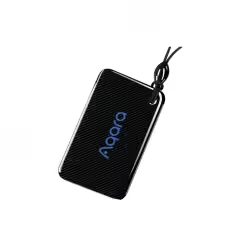

Aqara Door Lock NFC Card for N100 / A100 / D100 – Global Edition
$10.00 Add to basket -

Aqara D1 Wall Smart Switch
Price range: $45.00 through $65.00 Select options This product has multiple variants. The options may be chosen on the product page -
Aqara H1 Wireless Switch – Global Edition
$45.00 Add to basket -

Aqara Smart Curtain Driver E1 (Rod Version) – Global Edition
$150.00 Add to basket