



Aqara Dimmer Switch H2
$88.00
A multi-function rotary-dial dimmer that converts standard dimmable downlights, pendants, and LED strips into Aqara-controlled fixtures with scheduling, scenes, and voice control via Apple Home, Alexa, and Google Home.
Description
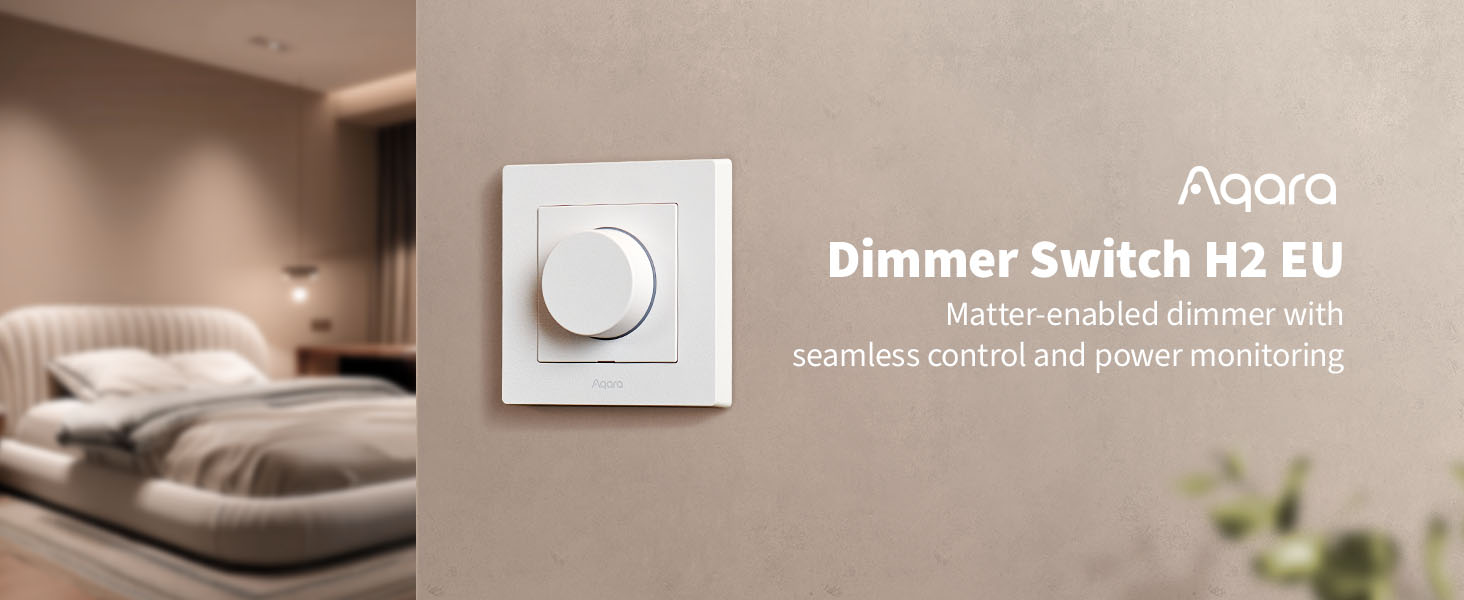
The Aqara Dimmer Switch H2 EU is a Matter-ready smart dimmer with a 1% precision rotary dial, smooth flicker-free dimming, dual-edge phase control, and two wireless protocols. Sold by PassionHome — your Authorised Aqara Dealer in Singapore — with local availability, 24-month Aqara warranty, and Singapore-based service through the Aqara Service Center at Tai Seng.
Why buy the Aqara H2 dimmer in Singapore
- Singapore voltage match (220-240 VAC, 50/60 Hz). The EU SKU runs natively on Singapore mains
- 86 mm SG backbox compatible. The 86 × 86 mm faceplate fits the standard Singapore single-gang backbox without modification, in HDB, condo, EC, and landed wall openings. Bottom box depth 34.6 mm.
- Neutral wire optional, recommended. The H2 is a single SKU (model KD-R01D) supporting both neutral and no-neutral wiring at the switch point. Neutral mode unlocks full Power Monitoring and a 4 W minimum-power threshold via Matter.
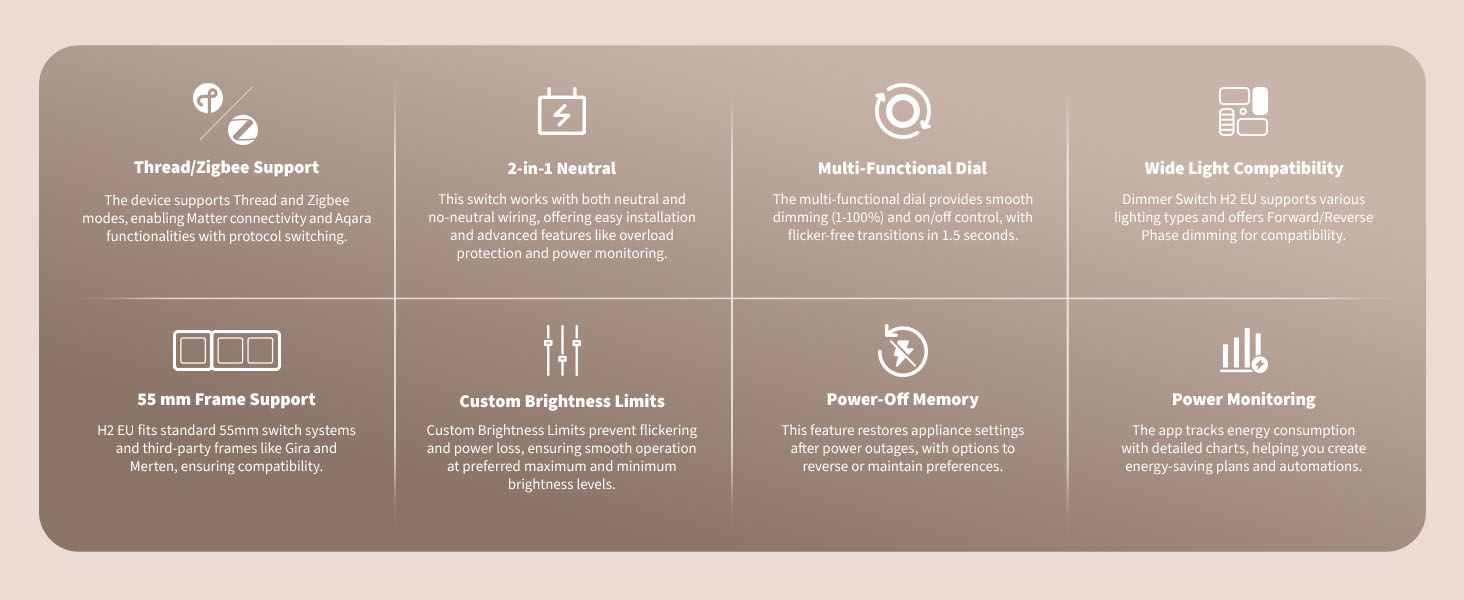
- 1% precision rotary dimming. Smooth 1–100% range with 1.5-second flicker-free on/off transitions. Customisable minimum + maximum brightness per fixture.
- Matter-ready + Aqara Hub compatible. Choose Thread mode at setup to pair with any Matter Controller + Thread Border Router (HomePod mini, Apple TV 4K, Echo 4th Gen, or an Aqara Hub M3 / M200). Or Zigbee mode to unlock the full Aqara Home feature set via an existing Aqara hub.
- Authorised Aqara Dealer + 24-month warranty serviced in Singapore. PassionHome.sg is on Aqara’s official Singapore partner network; warranty service is at the Aqara Service Center at Tai Seng — no overseas RMA. Estate group-buy pricing available — see active group-buys.
1% precision smart dimming
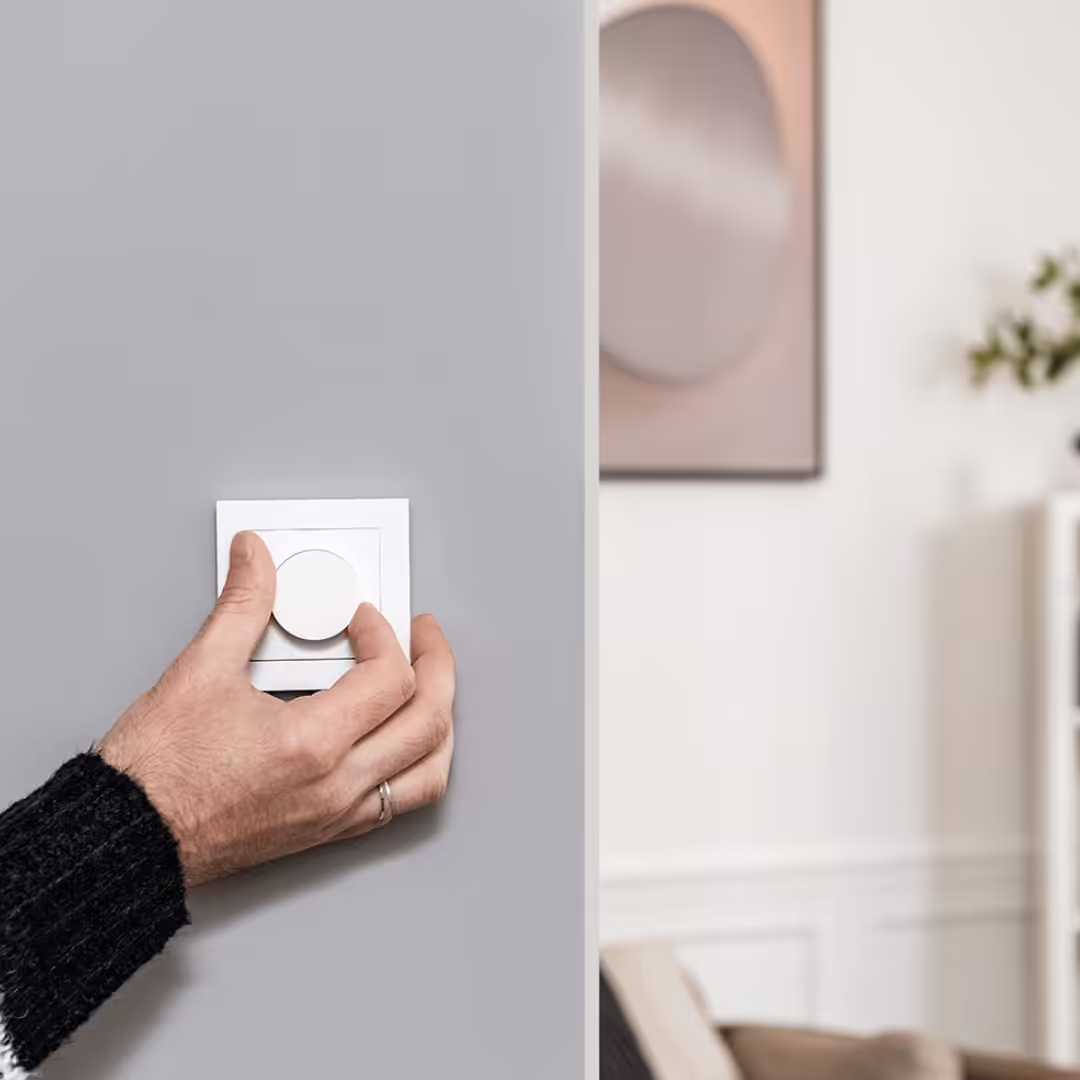
The H2 replaces a stepwise dimmer with a continuous rotary dial that adjusts brightness in 1% increments across the full 1–100% range. Flicker-free on/off transitions complete in 1.5 seconds — no harsh on/off snap. The dial is the single primary control: rotate to dim, press to toggle on/off, with double-press and long-press also mappable to scenes and automations in the Aqara Home app.
Multi-functional rotary dial
Rotate the dial to dim smoothly through 1% increments. Press to toggle on/off. Double-press and long-press gestures are mappable in the Aqara Home app to scenes, automations, or other Aqara devices — the H2 doubles as a built-in wireless switch for scene triggers without adding a separate device.
Customisable minimum and maximum brightness
Set a brightness floor (e.g. nightlight level, 5%) and ceiling (e.g. evening max, 80%) per fixture. Useful for low-wattage LED bulbs that flicker below a certain threshold, and for matching the H2’s range to your fixture’s effective brightness curve. Per Aqara: the Maximum Brightness feature is currently available only in Zigbee mode — Thread/Matter mode does not yet support it.
Power-off memory
After a power outage, the H2 restores the appliance to its previous brightness setting. You can also configure “maintain” or “reverse” behaviours through Aqara Home. Zigbee mode is recommended for guaranteed support of advanced power-off-memory behaviours.
Compatible lighting types
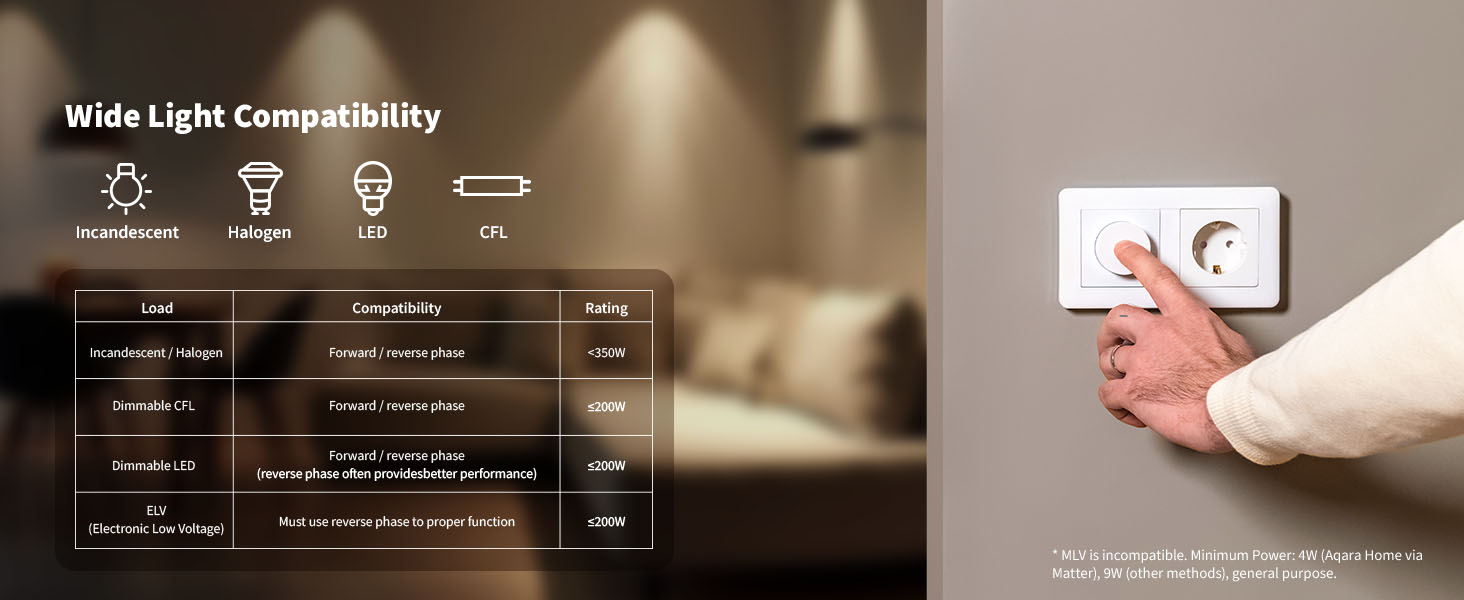
The H2 supports a wide range of fixture types, with switchable forward-phase and reverse-phase dimming modes to match different driver types.
- Incandescent and halogen. Rated load ≤ 300 W. Supports both forward-phase and reverse-phase dimming.
- Dimmable LED and CFL. Rated load ≤ 200 W per fixture. Use only LED or CFL bulbs explicitly marked DIMMABLE on the packaging.
- ELV (electronic low-voltage) fixtures. Rated load ≤ 200 W. ELV loads support reverse-phase dimming only.
- Non-dimmable bulbs (on/off only). Non-dimmable lights that meet the wattage requirements work as on/off only — brightness adjustment will not function.
Minimum power threshold: 4 W when paired via Matter (Aqara Home over Matter); 9 W via other methods, general purpose. Some very-low-wattage LED bulbs may not register at the lower threshold — fine-tune the minimum brightness setting if your LED stays unlit at the bottom of the dial.
Forward-phase vs reverse-phase dimming
Switch the dimming mode based on your driver type. Click the dial 5 times to enter the phase-selection mode — slow flashing red = leading (forward) edge phase, slow flashing blue = trailing (reverse) edge phase. Forward phase handles incandescent, halogen, and older magnetic-transformer setups; reverse phase suits modern electronic transformers and many newer LED drivers. Try both with your specific fixture and use whichever delivers a smoother dim curve.
Smart home connectivity — Thread + Zigbee, two modes
The H2 ships with two operating modes. You pick at setup, based on what you already have at home. Switching later requires a factory reset.
Thread Mode (default)
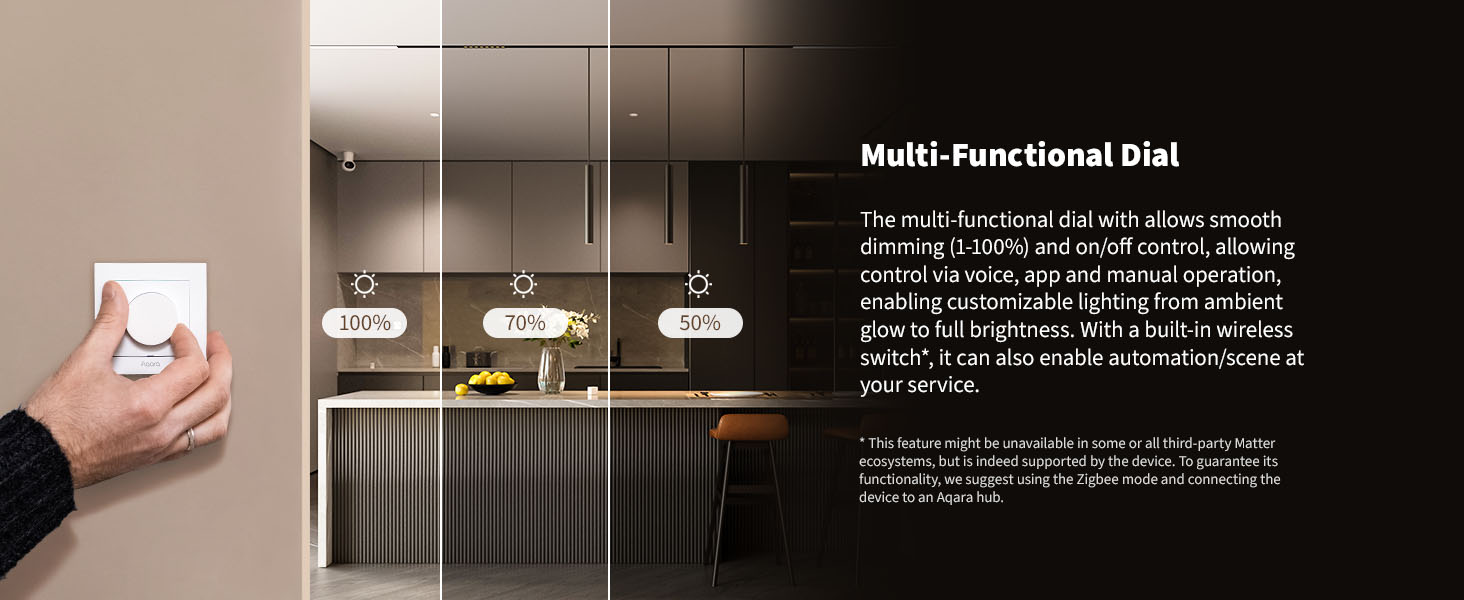
Pair the H2 directly to Apple Home, Google Home, Amazon Alexa, or Samsung SmartThings via Matter-over-Thread. You’ll need a Matter Controller plus a Thread Border Router — devices like the Apple HomePod mini, Apple TV 4K, Amazon Echo 4th Gen, or an Aqara Hub M3 or Hub M200 fill both roles in a single device. The H2 exposes a Matter Dimmable Light profile (on/off + brightness), a Wireless Switch (for scene triggers), and Power Monitoring — note that the Wireless Switch and Power Monitoring features are platform-limited depending on the third-party Matter ecosystem.
Zigbee Mode
Choose Zigbee mode if you already own — or plan to buy — an Aqara Zigbee hub. Aqara Hub M3 and Hub M200 both bridge the H2 into the full Aqara Home feature set, which includes:
- Full Power Monitoring (no platform limits)
- Dial Sensitivity Setting
- Decoupled Switch Mode
- On/Off Transition Settings
- Adjustable Dimming Range Maximum
- Direct device-to-device binding with other Aqara products
The Aqara hub then bridges the H2 to third-party ecosystems on its behalf, acting as a Matter bridge for connected Zigbee devices.
Switching between Thread and Zigbee
To switch protocols, first restore the device to factory settings. When you re-add the H2 in the Aqara app, the device protocol page lets you select Thread or Zigbee. The LED indicator confirms the active protocol: blinking blue = Thread; blinking purple = Zigbee; red = adding timeout.
Energy monitoring
The H2 reports real-time wattage and historical energy consumption per dimmer in the Aqara Home app. In Zigbee mode the data is unrestricted — you get full instantaneous, daily, and historical detail. In Thread/Matter mode the level of detail depends on the third-party ecosystem and may be platform-limited. With-neutral wiring is required for Power Monitoring to function.
Single SKU, two wiring modes
The H2 is one product (model KD-R01D, one part number) that supports both neutral and no-neutral wiring at the switch point. Whether a neutral wire is required is determined by your actual circuit and the lighting load — for most installations the H2 can run no-neutral, but PassionHome strongly recommends pulling a neutral wire when possible.
Why we recommend a neutral wire
No Singapore home has a neutral wire at the light-switch point by default — HDB, condo, EC, landed, old or new build, the neutral runs to the light fixture itself, not back to the switch (water-heater switches usually do have neutral, but those are dedicated circuits). Neutral-mode operation is more stable on dimmable LED drivers, supports full Power Monitoring without platform limitations, lets you set a Maximum Brightness limit, and unlocks the lowest 4 W minimum-power threshold via Matter.
Renovation phase timing for neutral wire pull
If you’re renovating, ask your contractor or electrician to pull a neutral wire to every smart-switch location at the wiring stage. Retrofitting a neutral wire after key collection is messy and expensive — most owners who skip this step end up running the H2 in no-neutral mode, which works but trades away some of the dimmer’s full feature set. Aqara also publishes a “phase selection mode” (5× click on the dial) to switch between leading-edge and trailing-edge dimming if your specific LED driver behaves better on one side.
86 mm SG backbox + 55 mm frame support
The H2 fits the standard Singapore 86 mm single-gang backbox without modification. The dial control unit itself measures 55 × 55 mm without the frame, fitting the Aqara European 55-row frame perfectly. It’s also compatible with 55-row frames from JIRA, Legrand AtlasDesign, BERKER, and MOES — though slight gaps or protrusions are possible with non-Aqara frames.
Coming soon from Aqara: the Switch Frame H2 EU (2/3-gang) is announced for release, offering combined panel layouts with the Aqara Light Switch H2 EU and Wall Outlet H2 EU. Release date not yet announced.
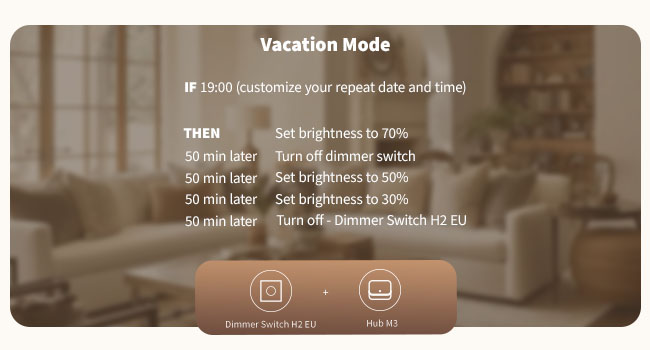
Setup, installation, and troubleshooting
Engaging an electrician (Singapore EMA regulations)
EMA regulations in Singapore require a licensed electrical worker for any work on the mains supply. We don’t recommend DIY for live mains wiring. Engage your renovation contractor’s electrician for new installs, or contact PassionHome on WhatsApp +65 9051 7063 for an electrician referral.
Adding to Aqara Home + identifying the active protocol
After installation, add the H2 to Aqara Home via Bluetooth pairing during initial setup. The LED indicator confirms the current protocol once the device starts broadcasting: blinking blue = Thread, blinking purple = Zigbee, red = adding timeout (re-trigger pairing or check the network). To switch protocols later, restore factory settings and re-add the device, selecting the protocol on the device-pairing page.
Setting minimum brightness for sensitive LEDs
Some LED bulbs need a higher voltage to start than they need to stay lit — at the very bottom of the dimming range they can fail to light up. To fix this, set a fixture-specific minimum brightness: double-click the dial, rotate within 3 seconds to the appropriate brightness floor, then click again to confirm. Setting it too low can cause flickering or humming and may shorten bulb life over time.
Fade-In / Fade-Out delay (by design)
If the H2 seems to “wait” a moment before turning lights on or off, the Fade-In/Out setting is enabled — the dimmer is gradually transitioning brightness rather than snapping like a relay switch. You can disable Fade-In/Out in Aqara Home if you prefer the instant-on feel of a traditional switch.
Resetting the device
Within 3 seconds of double-clicking the dial, press and hold for 5 seconds. The LED flashes to confirm reset. Reset clears network configuration but keeps user settings; Factory reset wipes everything including configured behaviours, returning the H2 to out-of-box state. Use factory reset before switching protocols.
Specifications (KD-R01D)
| Product name | Dimmer Switch H2 EU |
| Model number | KD-R01D |
| Dimensions | 86 × 86 × 55.45 mm (faceplate). Dial module 55 × 55 mm without frame. Bottom box depth 34.6 mm |
| Operating temperature | 0°C to 40°C |
| Operating humidity | 0 to 95% RH, no condensation |
| Electrical rating | 220-240 VAC, 50/60 Hz |
| Minimum power | 4 W (Aqara Home via Matter), 9 W (other methods) |
| Rated load | Incandescent / Halogen ≤ 300 W; Dimmable LED / CFL ≤ 200 W; ELV ≤ 200 W |
| Compatible load types | Incandescent, Halogen, LED (dimmable), CFL (dimmable), ELV (reverse-phase only) |
| Forward/Reverse phase | Both supported (ELV is reverse-phase only) |
| Wireless protocols | Thread (default mode) + Zigbee — chosen at setup |
| Bluetooth | Used for setup/pairing |
| Matter | Yes (Matter Dimmable Light + Wireless Switch + Power Monitoring; latter two platform-limited) |
| Aqara hub requirement | None for Thread/Matter mode (requires external Matter Controller + Thread Border Router); Aqara hub (M3/M200/E1) required for Zigbee mode and full Aqara Home features |
| Frame compatibility | 86 mm SG backbox; supports both 86 mm and 55 mm front frames (Aqara EU 55-row frame native; JIRA, Legrand AtlasDesign, BERKER, MOES compatible with slight cosmetic variation) |
| Neutral wire | Optional — single SKU supports both neutral and no-neutral wiring (PassionHome recommends neutral) |
| Colour | White and grey |
What’s in the box
- 1 × Aqara Dimmer Switch H2 EU
- 1 × User manual
- 1 × Compliance statement
- 1 × Screw kit
Warranty and authorised-dealer details
PassionHome.sg is an Authorised Aqara Dealer in Singapore, listed on Aqara’s official partner network. All Aqara products sold here:
- Carry the official 24-month Aqara manufacturer warranty
- Are sourced direct from Aqara distribution channels — never grey-market
- Are covered by Singapore-based warranty service through the Aqara Service Center at Tai Seng — no overseas RMA
Warranty term: 24 months from purchase date. For warranty claims, bring the unit to the Aqara Service Center at Tai Seng — Singapore’s official Aqara warranty service location. PassionHome can help guide you through the warranty process if you run into any issues; reach out via WhatsApp +65 9051 7063.
Frequently asked questions
<!– wp:rank-math/faq-block {"questions":[{"id":"faq-h2-1","title":"Does the Aqara H2 dimmer work with Singapore's electrical system?","content":"Yes. The H2 EU SKU is rated 220-240 VAC, 50/60 Hz — the exact spec for Singapore mains. It also fits the standard 86 mm Singapore single-gang backbox without modification, in HDB, condo, EC, and landed wall openings. The 55 × 55 mm dial unit fits both the Aqara European 55-row frame and most 55-row frames from JIRA, Legrand AtlasDesign, BERKER, and MOES.
“,”visible”:true},{“id”:”faq-h2-2″,”title”:”Do I need a neutral wire?”,”content”:”Not strictly — the H2 supports both neutral and no-neutral wiring as a single SKU (model KD-R01D), and Aqara’s own guidance is that the requirement is determined by your actual circuit. PassionHome strongly recommends pulling a neutral wire during your renovation phase: neutral-mode operation is more stable on dimmable LED drivers, supports full Power Monitoring without platform limitations, lets you set a Maximum Brightness limit, and unlocks the lowest 4 W minimum-power threshold via Matter. Most Singapore homes (HDB, condo, EC, landed) don’t have neutral at the light-switch point by default, so plan the wiring at the renovation stage — retrofitting a neutral wire after key collection is messy and expensive.
“,”visible”:true},{“id”:”faq-h2-3″,”title”:”What lighting types and load wattages does the H2 support?”,”content”:”The H2 supports incandescent, halogen, dimmable LED, dimmable CFL, and ELV (electronic low-voltage) fixtures. Load ratings: incandescent / halogen ≤ 300 W; dimmable LED / CFL ≤ 200 W; ELV ≤ 200 W. ELV loads support reverse-phase dimming only; incandescent, halogen, LED, and CFL support both forward-phase and reverse-phase. Non-dimmable bulbs at the right wattage will work as on/off only — brightness adjustment will not function.
“,”visible”:true},{“id”:”faq-h2-4″,”title”:”Will it work with my dimmable LEDs?”,”content”:”Most likely yes — provided the LED bulb is explicitly marked DIMMABLE on its packaging, and the fixture wattage is at or above the H2’s minimum-power threshold (4 W via Matter, 9 W via other methods). Some LED bulbs are more voltage-sensitive than others and may not light up at the very bottom of the dial — if that happens, set a fixture-specific minimum brightness via the double-click-and-rotate method (see Setup section). For ELV LED drivers, use reverse-phase dimming mode.
“,”visible”:true},{“id”:”faq-h2-5″,”title”:”Thread Mode vs Zigbee Mode — which should I pick?”,”content”:”If you already own (or plan to buy) an Aqara hub — Hub M3, Hub M200 — choose Zigbee mode. It unlocks the full Aqara Home feature set including unrestricted Power Monitoring, Dial Sensitivity Setting, Decoupled Switch Mode, On/Off Transition Settings, adjustable Dimming Range Maximum, and direct device-to-device binding with other Aqara products. If you want to pair the H2 directly to Apple Home / Google Home / Amazon Alexa / Samsung SmartThings without an Aqara hub, choose Thread mode — but you’ll need a Matter Controller and a Thread Border Router on your network (HomePod mini, Apple TV 4K, Echo 4th Gen, or the same Aqara hubs each fill both roles in one device). Some advanced features are platform-limited in Thread/Matter mode depending on the third-party ecosystem.
“,”visible”:true},{“id”:”faq-h2-6″,”title”:”Does it work with Apple Home, Google Home, Alexa, and SmartThings?”,”content”:”Yes — via Matter-over-Thread when you have a Matter Controller and a Thread Border Router on your network. Apple HomePod mini, Apple TV 4K, Amazon Echo 4th Gen, or an Aqara Hub M3 / M200 each fill both roles in a single device. Within those ecosystems, the H2 exposes a Matter Dimmable Light profile (on/off + brightness), plus a Wireless Switch and Power Monitoring — note that the Wireless Switch and Power Monitoring features are platform-limited depending on the third-party Matter ecosystem (advanced features and settings live in the Aqara Home app).
“,”visible”:true},{“id”:”faq-h2-7″,”title”:”How do I switch between Thread and Zigbee mode?”,”content”:”First, restore the H2 to factory settings (within 3 seconds of double-clicking the dial, press and hold for 5 seconds — the LED will flash to confirm). When you re-add the device in the Aqara Home app, the device-pairing page lets you choose Thread or Zigbee. The LED indicator confirms the active protocol: blinking blue = Thread, blinking purple = Zigbee, red = adding timeout.
“,”visible”:true},{“id”:”faq-h2-8″,”title”:”How do I set the minimum brightness for sensitive LED bulbs?”,”content”:”Some LED bulbs need a higher voltage to turn on than they need to stay lit — at the very bottom of the dial, they can fail to light up. To fix this, set a fixture-specific minimum brightness: double-click the dial, rotate within 3 seconds to the appropriate brightness floor, then click again to confirm the setting. Don’t set the minimum too low — operating the bulb near its minimum threshold can cause flickering, humming, and may shorten bulb life. Maximum Brightness is also configurable, but currently only in Zigbee mode (Thread/Matter mode does not yet support max-brightness limits).
“,”visible”:true},{“id”:”faq-h2-9″,”title”:”How do I switch between forward-phase and reverse-phase dimming?”,”content”:”Click the dial 5 times to enter the phase-selection mode. Slow flashing red = leading (forward) edge phase; slow flashing blue = trailing (reverse) edge phase. Use forward-phase for incandescent, halogen, and older magnetic-transformer setups; use reverse-phase for modern electronic transformers and many newer LED drivers — and reverse-phase is required for ELV (electronic low-voltage) loads. Try both with your specific fixture and use whichever delivers a smoother dim curve.
“,”visible”:true},{“id”:”faq-h2-10″,”title”:”Can the H2 work with non-dimmable bulbs?”,”content”:”Non-dimmable bulbs at the right wattage will work, but as on/off only — the rotary dial will not adjust brightness. Aqara smart bulbs paired through the H2 also work as on/off only via the dial (the dial cannot adjust their brightness; brightness control happens through the Aqara app or another bulb-side method).
“,”visible”:true},{“id”:”faq-h2-11″,”title”:”Is the H2 compatible with non-Aqara wall frames?”,”content”:”Yes — with cosmetic variation. The 55 × 55 mm dial unit fits the Aqara European 55-row frame natively. It is also compatible with 55-row frames from JIRA, Legrand AtlasDesign, BERKER, and MOES, though slight gaps or cosmetic protrusions are possible because those frames aren’t designed to exact Aqara tolerances. Faceplate dimensions are 86 × 86 mm — matching the standard Singapore single-gang backbox cutout.
“,”visible”:true},{“id”:”faq-h2-12″,”title”:”Difference between the H2 dimmer and the Aqara H1 Pro switches?”,”content”:”The Aqara H1 Pro is a relay switch line (1-gang, 2-gang, and 3-gang variants in black and gold) — it turns lights on/off only. The H2 EU is a dimmer with a 1% precision rotary dial. Use the H1 Pro for non-dimmable circuits — ceiling fans, exhaust fans, non-dimmable LED ceiling lights, and multi-gang switch positions. Use the H2 for dimmable LEDs, halogen, and ELV setups where you want adjustable brightness with a continuous dial. Both lines run on Singapore mains (220-240 VAC).
“,”visible”:true},{“id”:”faq-h2-13″,”title”:”Can I install it myself?”,”content”:”We don’t recommend DIY for live mains wiring in Singapore. EMA regulations require a licensed electrical worker for any work on the mains supply. Engage your renovation contractor’s electrician or contact PassionHome on WhatsApp +65 9051 7063 for an electrician referral.
“,”visible”:true},{“id”:”faq-h2-14″,”title”:”Is there a local warranty?”,”content”:”Yes. Aqara provides a 24-month manufacturer warranty on all products sold here. For warranty claims, bring the unit to the Aqara Service Center at Tai Seng — Singapore’s official Aqara service location. PassionHome can help guide you through the process if needed (WhatsApp +65 9051 7063).
“,”visible”:true},{“id”:”faq-h2-15″,”title”:”How is PassionHome’s price compared to other resellers?”,”content”:”We sell at the same MSRP as other Authorised Aqara Dealers in Singapore. The advantages of buying from PassionHome are local warranty service via the Aqara Service Center, and access to estate group-buy rates for HDB BTOs (significant discount when your estate unlocks). See active group-buys for current rounds.
“,”visible”:true}]} –>Does the Aqara H2 dimmer work with Singapore’s electrical system?
Yes. The H2 EU SKU is rated 220-240 VAC, 50/60 Hz — the exact spec for Singapore mains. It also fits the standard 86 mm Singapore single-gang backbox without modification, in HDB, condo, EC, and landed wall openings. The 55 × 55 mm dial unit fits both the Aqara European 55-row frame and most 55-row frames from JIRA, Legrand AtlasDesign, BERKER, and MOES.
Do I need a neutral wire?
Not strictly — the H2 supports both neutral and no-neutral wiring as a single SKU (model KD-R01D), and Aqara’s own guidance is that the requirement is determined by your actual circuit. PassionHome strongly recommends pulling a neutral wire during your renovation phase: neutral-mode operation is more stable on dimmable LED drivers, supports full Power Monitoring without platform limitations, lets you set a Maximum Brightness limit, and unlocks the lowest 4 W minimum-power threshold via Matter. Most Singapore homes (HDB, condo, EC, landed) don’t have neutral at the light-switch point by default, so plan the wiring at the renovation stage — retrofitting a neutral wire after key collection is messy and expensive.
What lighting types and load wattages does the H2 support?
The H2 supports incandescent, halogen, dimmable LED, dimmable CFL, and ELV (electronic low-voltage) fixtures. Load ratings: incandescent / halogen ≤ 300 W; dimmable LED / CFL ≤ 200 W; ELV ≤ 200 W. ELV loads support reverse-phase dimming only; incandescent, halogen, LED, and CFL support both forward-phase and reverse-phase. Non-dimmable bulbs at the right wattage will work as on/off only — brightness adjustment will not function.
Will it work with my dimmable LEDs?
Most likely yes — provided the LED bulb is explicitly marked DIMMABLE on its packaging, and the fixture wattage is at or above the H2’s minimum-power threshold (4 W via Matter, 9 W via other methods). Some LED bulbs are more voltage-sensitive than others and may not light up at the very bottom of the dial — if that happens, set a fixture-specific minimum brightness via the double-click-and-rotate method (see Setup section). For ELV LED drivers, use reverse-phase dimming mode.
Thread Mode vs Zigbee Mode — which should I pick?
If you already own (or plan to buy) an Aqara hub — Hub M3, Hub M200 — choose Zigbee mode. It unlocks the full Aqara Home feature set including unrestricted Power Monitoring, Dial Sensitivity Setting, Decoupled Switch Mode, On/Off Transition Settings, adjustable Dimming Range Maximum, and direct device-to-device binding with other Aqara products. If you want to pair the H2 directly to Apple Home / Google Home / Amazon Alexa / Samsung SmartThings without an Aqara hub, choose Thread mode — but you’ll need a Matter Controller and a Thread Border Router on your network (HomePod mini, Apple TV 4K, Echo 4th Gen, or the same Aqara hubs each fill both roles in one device). Some advanced features are platform-limited in Thread/Matter mode depending on the third-party ecosystem.
Does it work with Apple Home, Google Home, Alexa, and SmartThings?
Yes — via Matter-over-Thread when you have a Matter Controller and a Thread Border Router on your network. Apple HomePod mini, Apple TV 4K, Amazon Echo 4th Gen, or an Aqara Hub M3 / M200 each fill both roles in a single device. Within those ecosystems, the H2 exposes a Matter Dimmable Light profile (on/off + brightness), plus a Wireless Switch and Power Monitoring — note that the Wireless Switch and Power Monitoring features are platform-limited depending on the third-party Matter ecosystem (advanced features and settings live in the Aqara Home app).
How do I switch between Thread and Zigbee mode?
First, restore the H2 to factory settings (within 3 seconds of double-clicking the dial, press and hold for 5 seconds — the LED will flash to confirm). When you re-add the device in the Aqara Home app, the device-pairing page lets you choose Thread or Zigbee. The LED indicator confirms the active protocol: blinking blue = Thread, blinking purple = Zigbee, red = adding timeout.
How do I set the minimum brightness for sensitive LED bulbs?
Some LED bulbs need a higher voltage to turn on than they need to stay lit — at the very bottom of the dial, they can fail to light up. To fix this, set a fixture-specific minimum brightness: double-click the dial, rotate within 3 seconds to the appropriate brightness floor, then click again to confirm the setting. Don’t set the minimum too low — operating the bulb near its minimum threshold can cause flickering, humming, and may shorten bulb life. Maximum Brightness is also configurable, but currently only in Zigbee mode (Thread/Matter mode does not yet support max-brightness limits).
How do I switch between forward-phase and reverse-phase dimming?
Click the dial 5 times to enter the phase-selection mode. Slow flashing red = leading (forward) edge phase; slow flashing blue = trailing (reverse) edge phase. Use forward-phase for incandescent, halogen, and older magnetic-transformer setups; use reverse-phase for modern electronic transformers and many newer LED drivers — and reverse-phase is required for ELV (electronic low-voltage) loads. Try both with your specific fixture and use whichever delivers a smoother dim curve.
Can the H2 work with non-dimmable bulbs?
Non-dimmable bulbs at the right wattage will work, but as on/off only — the rotary dial will not adjust brightness. Aqara smart bulbs paired through the H2 also work as on/off only via the dial (the dial cannot adjust their brightness; brightness control happens through the Aqara app or another bulb-side method).
Is the H2 compatible with non-Aqara wall frames?
Yes — with cosmetic variation. The 55 × 55 mm dial unit fits the Aqara European 55-row frame natively. It is also compatible with 55-row frames from JIRA, Legrand AtlasDesign, BERKER, and MOES, though slight gaps or cosmetic protrusions are possible because those frames aren’t designed to exact Aqara tolerances. Faceplate dimensions are 86 × 86 mm — matching the standard Singapore single-gang backbox cutout.
Difference between the H2 dimmer and the Aqara H1 Pro switches?
The Aqara H1 Pro is a relay switch line (1-gang, 2-gang, and 3-gang variants in black and gold) — it turns lights on/off only. The H2 EU is a dimmer with a 1% precision rotary dial. Use the H1 Pro for non-dimmable circuits — ceiling fans, exhaust fans, non-dimmable LED ceiling lights, and multi-gang switch positions. Use the H2 for dimmable LEDs, halogen, and ELV setups where you want adjustable brightness with a continuous dial. Both lines run on Singapore mains (220-240 VAC).
Can I install it myself?
We don’t recommend DIY for live mains wiring in Singapore. EMA regulations require a licensed electrical worker for any work on the mains supply. Engage your renovation contractor’s electrician or contact PassionHome on WhatsApp +65 9051 7063 for an electrician referral.
Is there a local warranty?
Yes. Aqara provides a 24-month manufacturer warranty on all products sold here. For warranty claims, bring the unit to the Aqara Service Center at Tai Seng — Singapore’s official Aqara service location. PassionHome can help guide you through the process if needed (WhatsApp +65 9051 7063).
How is PassionHome’s price compared to other resellers?
We sell at the same MSRP as other Authorised Aqara Dealers in Singapore. The advantages of buying from PassionHome are local warranty service via the Aqara Service Center, and access to estate group-buy rates for HDB BTOs (significant discount when your estate unlocks). See active group-buys for current rounds.
Related Aqara products
- Aqara Light Switch H2 EU — the direct sibling switch for non-dimmable circuits in the H2 EU family. Combine with the H2 dimmer in a multi-gang setup (forthcoming Aqara Switch Frame H2 EU 2/3-gang frame).
- Aqara H1 Pro line — relay switches in 1G / 2G / 3G variants (non-neutral black or gold; neutral gold). Use for non-dimmable circuits paired alongside the H2 dimmer.
- Aqara Hub M3 — Matter-over-Thread + Zigbee 3.0 hub; 2-in-1 Matter Controller + Thread Border Router. Pair with the H2 in Zigbee mode to unlock the full Aqara Home feature set.
- Aqara Hub M200 — alternative hub with the same Zigbee + Thread Border Router + Matter Controller roles as the M3.
- Aqara Panel Switch S100 — touchscreen panel switch for advanced scene control rooms.
- Browse the full Aqara range at PassionHome | Estate group-buys
Related products
-
Aqara Hub M1S Gen 1 – Global Edition
$79.00 Add to basket -
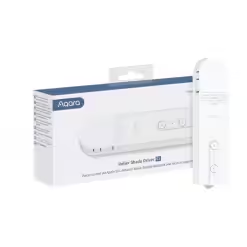
Aqara Roller Shade Driver E1 – Global Edition
$100.00 Add to basket -

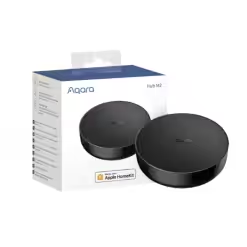
Aqara M2 Hub – Global Edition
$99.00 Add to basket -

Aqara Smart Door Lock A100 — with Installation
$669.00 Select options This product has multiple variants. The options may be chosen on the product page
Reviews
There are no reviews yet.