


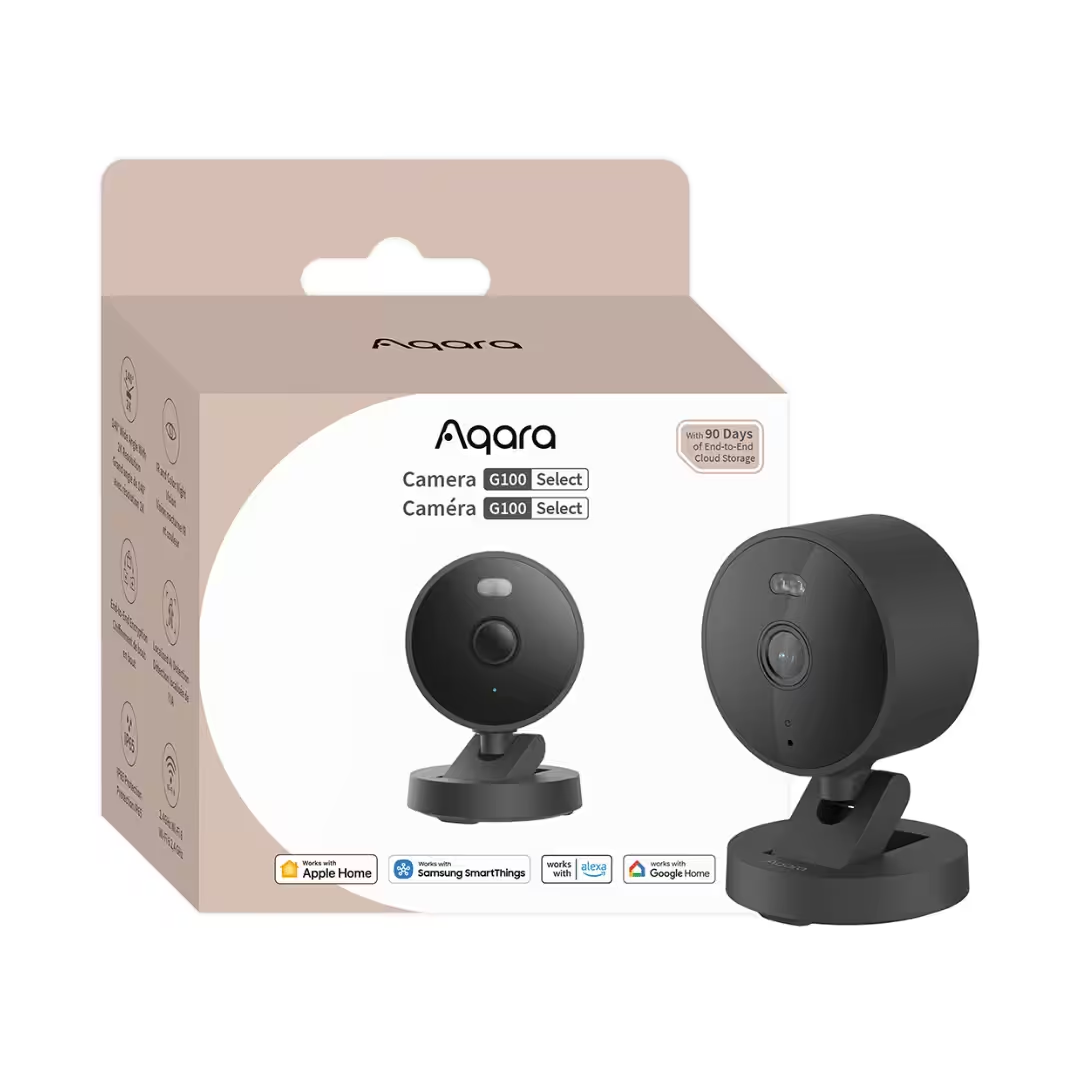
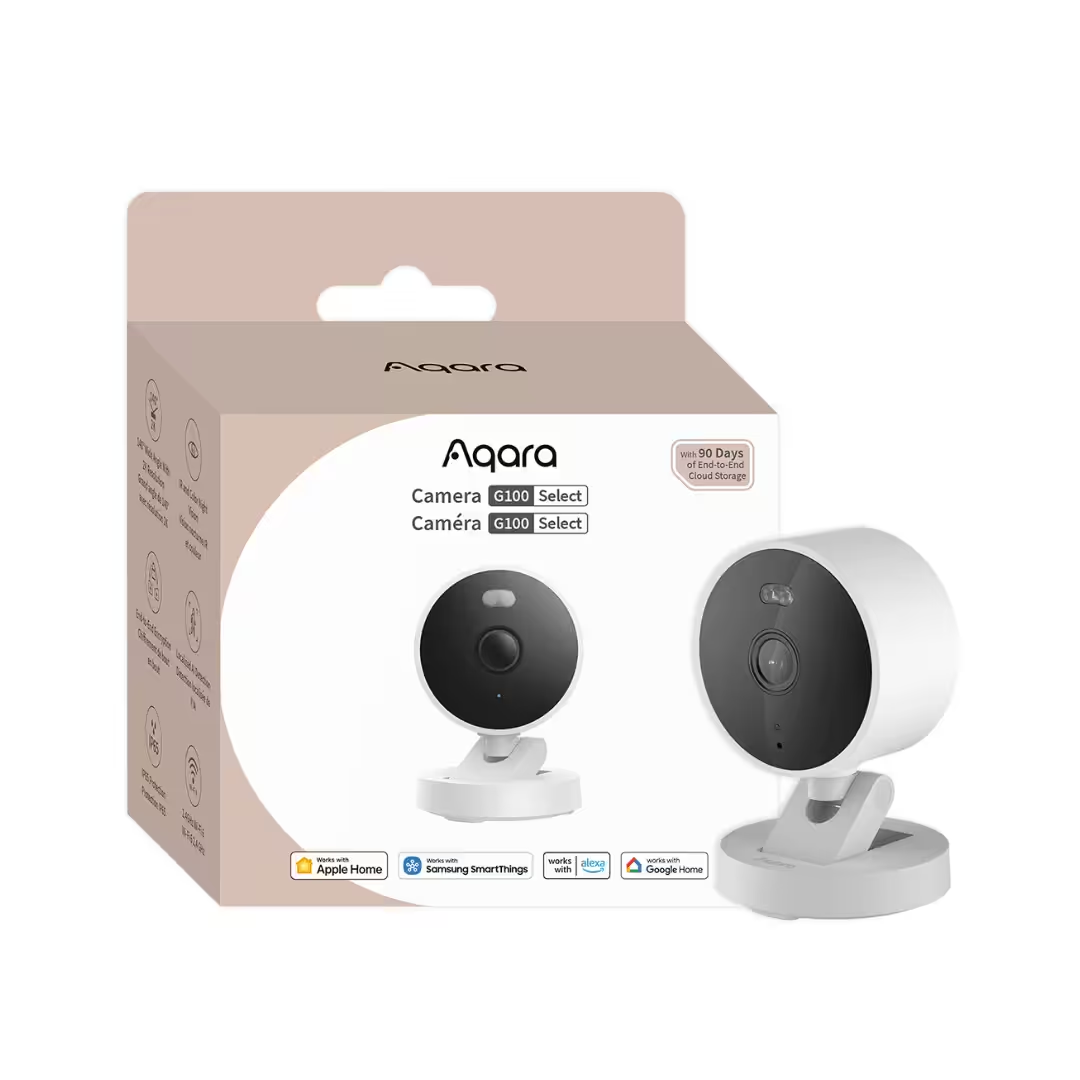
Aqara Camera G100
$89.00
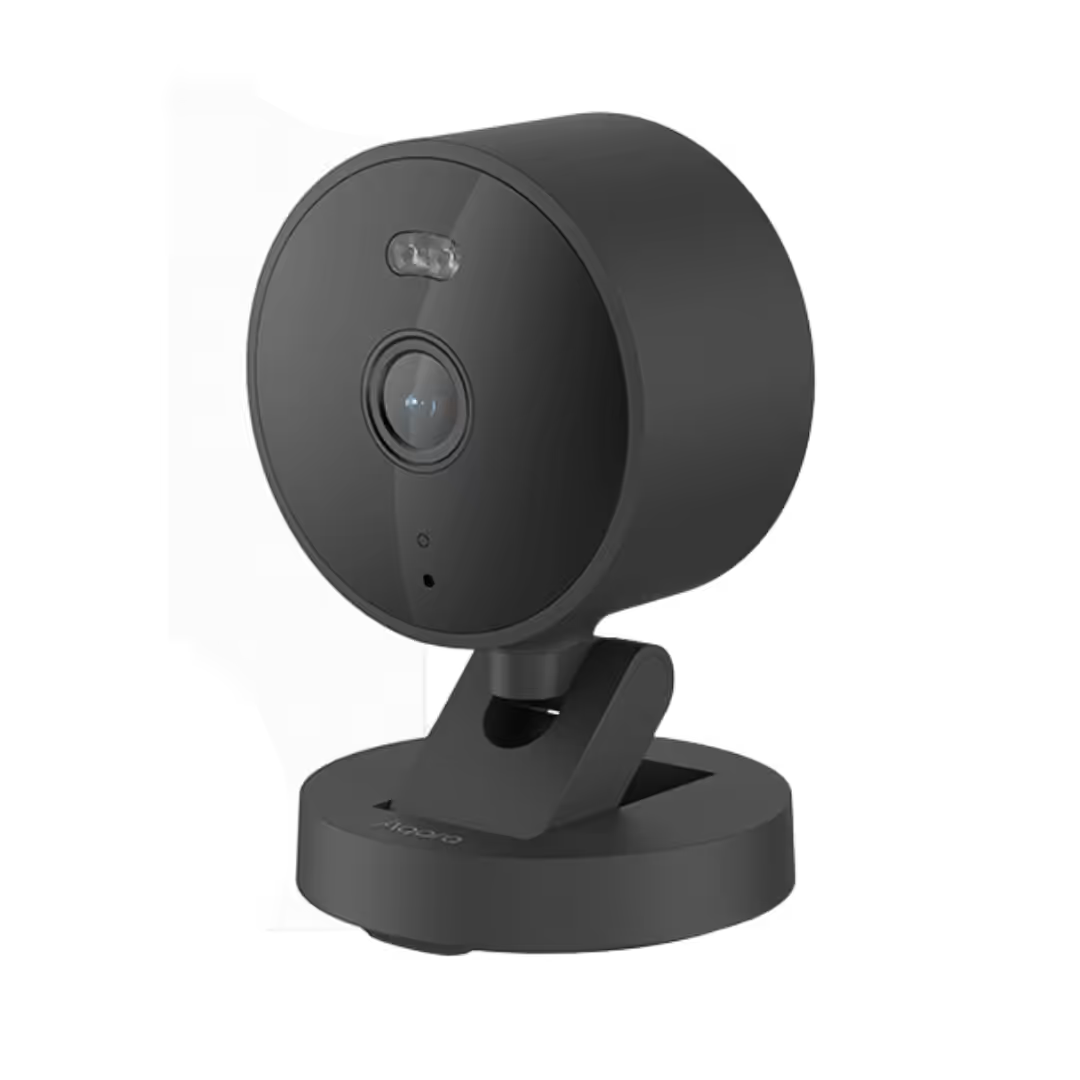
An IP65-rated 2K camera built for Singapore balconies, gates, and corridors, with a 140° wide lens, infrared plus colour-spotlight night vision, and Wi-Fi 6 on the 2.4 GHz band for crowded estate networks.
Description
The Aqara Camera G100 is a 2K IP65 indoor + outdoor security camera built for Singapore HDB, condo, and landed homes — IP65 weatherproof, dual night-vision modes (colour with spotlight + infrared), Wi-Fi 6 single-band 2.4 GHz connectivity, 140° wide-angle lens, and tight Apple Home integration with HomeKit Secure Video for end-to-end encrypted iCloud clip storage. Sold by PassionHome — your Authorised Aqara Dealer in Singapore — with local availability, official 24-month Aqara warranty, and Singapore-based service through the Aqara Service Center at Tai Seng.
Why buy the Aqara Camera G100 in Singapore
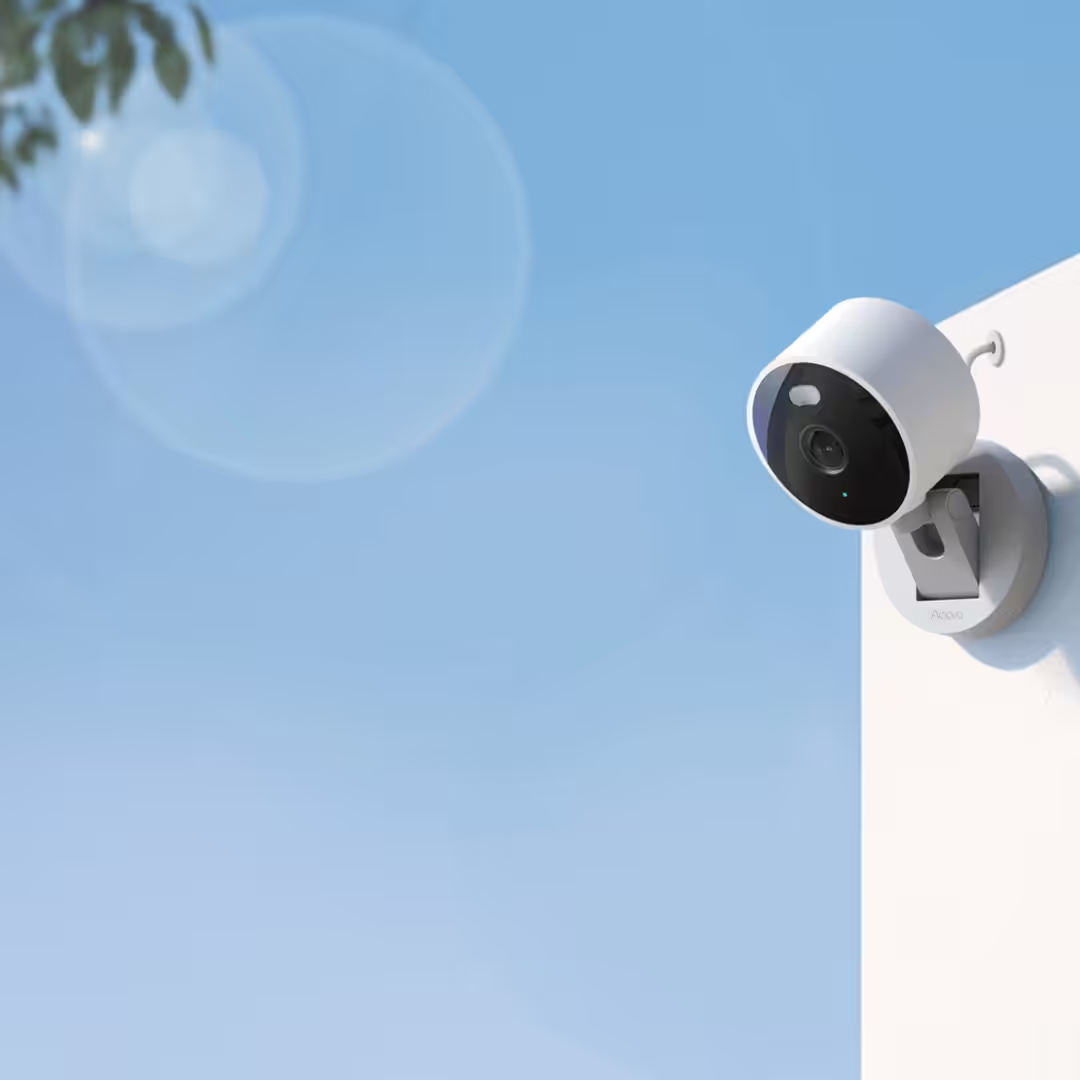
- Built for Singapore weather (IP65). The G100 carries an IP65 weatherproof rating — dust-tight and protected against low-pressure water jets from any direction. Covered porches, condo balconies, HDB corridors, gate-side mounts, under-eave installations all sit safely within the IP65 envelope (rain spray + dust).
- 2K resolution at HDB-room scale. 2304 × 1296 resolution with a 140° diagonal wide-angle lens captures a full HDB living room, condo balcony, or front-door corridor from a single mounting point.
- Wi-Fi 6 (802.11ax, 2.4 GHz) for crowded estates. The 2.4 GHz Wi-Fi 6 radio (802.11ax) is tuned for the dense Wi-Fi environments typical of HDB blocks and condo towers — better range and contention handling than Wi-Fi 5 (802.11ac) cameras like the older G3 on the same band. Note: 2.4 GHz only — no 5 GHz support.
- Authorised Aqara Dealer + 24-month warranty. PassionHome is officially listed under Aqara’s Singapore dealer network. Warranty service through the Aqara Service Center at Tai Seng — no overseas RMA. Local availability, SG-voltage / SG-frequency stock.
- Estate group-buy pricing. If your estate has unlocked the PassionHome group-buy, the G100 ships at the all-in estate rate — significant discount when your estate unlocks. See active estate group-buys.
Crystal-clear 2K imaging
2K resolution and 140° wide-angle lens
The G100 records at 2304 × 1296 (2K) through a 140° diagonal wide-angle lens with a large f/1.8 aperture. A single sensor covers a full HDB living room, a condo balcony, or a front-door corridor — without dead zones at the edges. The wide f/1.8 aperture lets in significantly more light than typical f/2.0 consumer cameras, improving low-light performance before the spotlight or IR mode kicks in. Aqara’s marketing tagline for the G100 is “2K resolution security camera with spotlight color and IR night vision”. Video is encoded in H.264.
Dual night vision — colour spotlight plus infrared
The G100 has two night-vision modes — infrared (IR) for invisible illumination producing black-and-white footage with no spotlight, and colour night vision via a built-in spotlight for full-colour low-light capture, helped by the f/1.8 aperture. Aqara documents that the modes are mutually exclusive — only one mode runs at a time. The effective fill-light distance of the white-light (colour) mode is approximately 5 metres and is capable of recognising human figures.
AI detection — Local (no subscription) plus Cloud HomeGuardian (subscription)
Aqara documents two tiers of motion intelligence on the G100. Local AI runs on-camera with no subscription required — per Aqara: “Detects people and filters out false alarms — no subscription needed”. Cloud AI is unlocked via the Aqara HomeGuardian plan — per Aqara: “With the HomeGuardian plan, unlock advanced detection for pets, vehicles, packages, and faces”. The Local tier alone is sufficient for most HDB / condo motion-alert use cases (person-only filtering cuts through the typical false-alarm storm from passing shadows and pets); HomeGuardian is the upgrade if you need named-category alerts (e.g. “alert me only when a delivery vehicle arrives” or “alert me only when my dog enters a specific zone”). For deeper local AI capabilities — face / Personoid / gesture / pet recognition on-device with no subscription — the G3 (NPU + face/gesture/pet) and the G350 (face / smile / gesture / pet + 6 sound categories) carry richer local AI inventories.
Smart home connectivity — Wi-Fi 6 plus Apple Home, Google Home, and Alexa
Apple Home and HomeKit Secure Video
The G100 is Apple Home-ready out of the box. Once paired, it surfaces natively in the Apple Home app — live view, motion alerts, and event clips alongside your other HomeKit accessories. With a HomeKit-enabled Apple home hub (HomePod, HomePod mini, or Apple TV with tvOS 11+), the G100 also supports HomeKit Secure Video — a 10-day recording history from the G100 is stored end-to-end encrypted in your iCloud account and available to view in the Apple Home app. Resolution caveat: Aqara documents that under the Apple Home app the G100’s resolution is restricted to 1080p due to HomeKit platform limitations; the full 1296p (2K) resolution is available when viewing through the Aqara Home app. If you add the camera to both Aqara Home and Apple Home, the Aqara Home view is also restricted to 1080p due to hardware encoding limits.
Google Home, Amazon Alexa, and Samsung SmartThings
Aqara’s verbatim Compatible Platforms list for the G100 is five ecosystems: Aqara, Apple Home, Google Home, Alexa, and Samsung SmartThings. Live feeds surface on Echo Show, Fire TV, and Google Nest Hub devices once you link the Aqara skill / Google Home action via the Aqara Home app; SmartThings users add the camera through the Aqara integration in the SmartThings app. If any of Google Home, Alexa, or SmartThings is your primary ecosystem, the G100 works natively — no Aqara hub required for these ecosystem integrations (the G100 is a Wi-Fi camera with no Zigbee or Thread radio).
NAS, RTSP, and Home Assistant for local recording
Aqara explicitly confirms NAS and RTSP support for the G100. Per Aqara on us.aqara.com verbatim: “Supports RTSP for easy integration with Home Assistant, Frigate, Blue Iris, and similar systems”. The G100 publishes a local RTSP stream that a NAS or compatible network video recorder can ingest directly — useful if you want 24/7 local recording at full resolution without depending on the cloud. Stream URL and credentials are configured inside the Aqara Home app. Home Assistant integration is via RTSP only (Aqara does not list Home Assistant in the Compatible Platforms list — it’s mentioned separately under RTSP integration). Frigate and Blue Iris users follow the same RTSP path.
Aqara Home — automations, scenes, and recording schedules
In the Aqara Home app, the G100 is one of your camera-class accessories. You can set recording schedules, configure motion-zone masks, customise sensitivity, and adjust spotlight behaviour. Pairing the G100 with an Aqara hub (M3 or M200) lets the G100 trigger Zigbee-device automations — for example, “if motion is detected at the front door after 11 PM, turn on the hallway light via an Aqara T1 wall switch.” Without an Aqara hub, you still get full Apple Home / Google Home / Alexa support and local recording; the hub is only required if you want to wire G100 motion events to Aqara Zigbee accessory automations.
Storage and recording
microSD card local recording (up to 512 GB)
The G100 has a microSD slot supporting cards up to 512 GB, Class 10 or above. Card is not included — bring your own. Local 24/7 recording continues even if your internet drops, with playback through the Aqara Home app.
NAS recording via RTSP
Aqara confirms the G100 supports NAS and RTSP functions. Point your NAS (Synology, QNAP, Unraid, or any RTSP-capable NVR) at the G100’s RTSP stream URL and record continuously to local storage — without depending on the cloud. RTSP runs alongside Aqara Home and Apple Home; the camera serves multiple stream consumers simultaneously.
Apple iCloud (via HomeKit Secure Video)
When paired with Apple Home and HomeKit Secure Video, the G100 records a rolling 10-day clip history end-to-end encrypted in your iCloud account. HKSV clip storage requires an iCloud+ plan (200 GB or higher) and does not count against your iCloud Drive quota. Resolution is capped at 1080p under HomeKit.
Aqara HomeGuardian cloud storage and Cloud AI (optional subscription)
Aqara offers an optional HomeGuardian plan that adds two things on top of the free local-storage tier. First — extended cloud event-clip storage beyond the on-camera microSD and HomeKit Secure Video paths. Second — Cloud AI named-category detection: per Aqara verbatim, the HomeGuardian plan unlocks “advanced detection for pets, vehicles, packages, and faces”. The Local AI tier (person detection + false-alarm filter) continues to work without HomeGuardian — the subscription only adds the named categories. Subscription tiers and pricing are managed through the Aqara Home app’s storage settings — refer to Aqara for current Singapore options.
All-weather indoor and outdoor use
IP65 rating in Singapore climate
IP65 means the G100 is dust-tight (the “6”) and protected against low-pressure water jets from any direction (the “5”). It handles Singapore’s tropical rain spray and humidity comfortably for covered outdoor placements — balconies, porches, gate-side mounts under an eave, condo corridor edges. Operating temperature is −10 °C to 40 °C and operating humidity 0–95% RH (non-condensing); Singapore’s outdoor range (typically 24–34 °C, 70–90% RH) sits comfortably within tolerance. For fully exposed direct-rain west-facing placements, shelter from direct sun extends service life — the 40 °C operating ceiling is at the lower end of outdoor-camera specs.
Mounting options
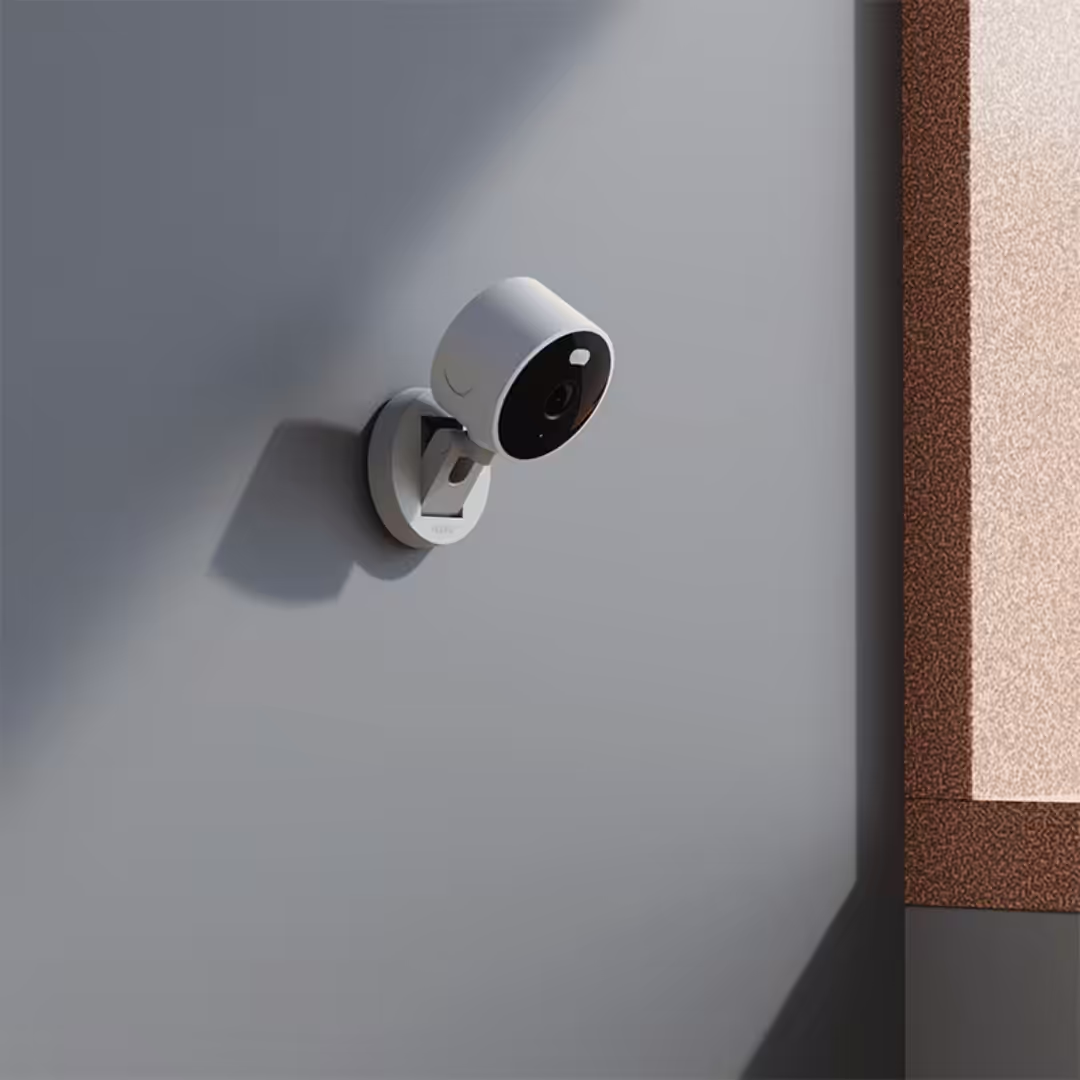
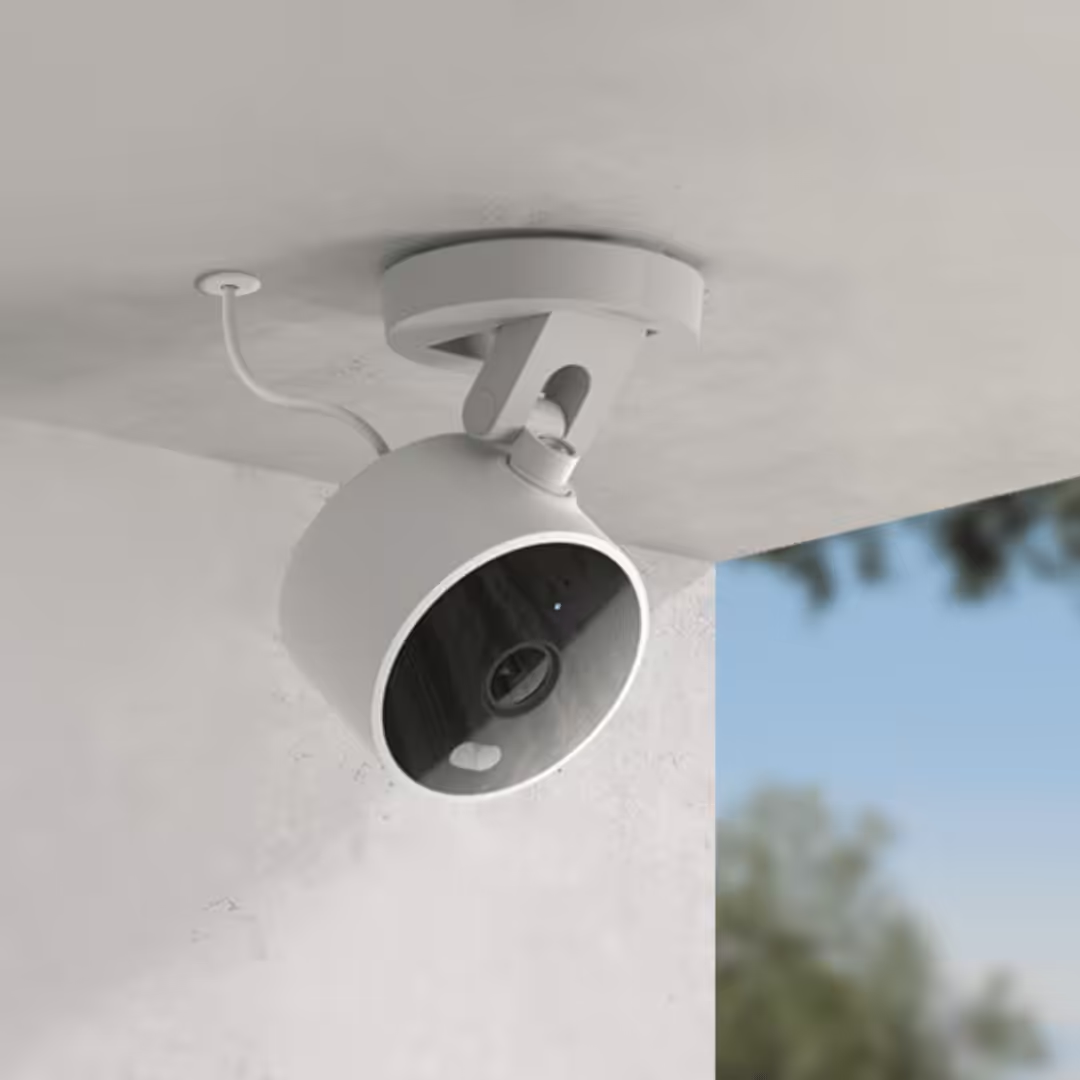
The G100 ships with a wall-screw kit (M3 × 20 mm self-tapping screws + 32 mm anchors) for wall or ceiling mounting. Aqara also documents a cable concealment hole on the base — pry open the cover and thread the USB-C cable through the wall or ceiling for a clean install with no exposed cable run. For outdoor mounts, ensure the camera is paired to the network before physical installation, since pairing requires phone proximity.
Installation in Singapore homes
Wi-Fi 6 connectivity setup (2.4 GHz only)
The G100 connects to 2.4 GHz Wi-Fi only, using the Wi-Fi 6 (802.11ax) protocol. Wi-Fi 6 on the 2.4 GHz band improves handling of crowded Wi-Fi environments (HDB blocks, dense condo towers) compared with older Wi-Fi 4/5 cameras on the same band. The G100 does not support 5 GHz Wi-Fi. If your home Wi-Fi router runs a mixed-band SSID, make sure the 2.4 GHz band is active and your phone connects to a 2.4 GHz network during pairing.
Power — USB-C, 5 V / 1 A
The G100 is powered by USB-C at 5 V / 1 A. For an indoor placement, plug into any standard USB power adapter rated 5 W or higher. For an outdoor mount, run the included USB-C cable through a wall conduit to an indoor socket or a sheltered outdoor outlet box. If the installation position requires a longer cable, Aqara recommends a 5 V / 2 A power supply to compensate for voltage drop, and notes the maximum recommended cable length should not exceed 5 metres. If you replace the cable, also verify that the USB-C connector matches the original size — a smaller connector may compromise the waterproof silicone cover seal. The G100 does not support Power-over-Ethernet (PoE) — for an outdoor PoE flagship, see the Aqara Smart Camera G5 Pro Hub.
Setup via Aqara Home or Apple Home
Open the Aqara Home app, tap “+” in the upper right, select Camera G100, and follow the on-screen prompts. To add to Apple Home as well, scan the HomeKit setup code printed on the camera body — the G100 then appears in both apps. Pair the camera to Wi-Fi BEFORE physically mounting outdoors (or in any hard-to-reach spot), since the pairing flow requires phone proximity. The QR code on the camera should be held 8–20 cm from the smartphone screen for optimal scanning.
Specifications (CH-C08E / CH-C08D)
| Product name | Aqara Camera G100 (variants: Camera G100 / Camera G100 Select) |
| Model number | CH-C08E (Camera G100) / CH-C08D (Camera G100 Select) |
| Dimensions | 58.16 × 58.16 × 72.25 mm (2.29 × 2.29 × 2.84 in.) |
| Video resolution | 2K — 2304 × 1296 |
| Viewing angle | 140° diagonal |
| Video codec | H.264 |
| Night vision | Dual mode — colour with built-in spotlight (5 m effective fill light) + infrared (IR). Modes are mutually exclusive. |
| Wireless protocols | Wi-Fi 802.11 b/g/n/ax (Wi-Fi 6) — 2.4 GHz only; Bluetooth (setup). No Zigbee, no Thread, no Matter. |
| Power input | 5 V / 1 A via USB-C (cable included; adapter not included) |
| PoE | Not supported |
| Local storage | microSD card up to 512 GB, Class 10 or above (card not included). Also supports NAS + RTSP. |
| Weatherproof rating | IP65 — dust-tight, water-jet protected |
| Operating temperature | −10 °C to 40 °C |
| Operating humidity | 0–95% RH, non-condensing |
| Ecosystem support | Apple Home (with HomeKit Secure Video, 1080p cap), Google Home, Amazon Alexa, Samsung SmartThings, Aqara Home native. Home Assistant + Frigate + Blue Iris supported separately via RTSP. Cloud AI feature list (pets / vehicles / packages / faces) unlocked via Aqara HomeGuardian subscription. |
| Hub requirement | None for ecosystem integrations (Wi-Fi camera). Aqara hub (M3 or M200) optional for Zigbee-device automation triggering. |
| Mounting | Wall mount or ceiling mount via included M3 × 20 mm self-tapping screws + 32 mm anchor kit; cable concealment hole on base |
What’s in the box
- 1 × Aqara Camera G100
- 1 × USB-C power cable
- 1 × Wall screw kit (M3 × 20 mm self-tapping) and anchor kit (32 mm)
- 2 × User manual
G100 vs G2H Pro vs G3 vs G350 — which Aqara camera is right for you?
| G100 (this product) | G2H Pro | G3 | G350 | |
| Resolution | 2K (2304 × 1296) | 2K (2304 × 1296) | 2K (2304 × 1296) | 4K dual-lens (telephoto + wide) |
| Field of view | 140° diagonal (fixed) | 146° diagonal (fixed) | 110° diagonal + pan / tilt | Pan / tilt / zoom (dual-lens) |
| Pan / tilt | Fixed (no motors) | Fixed (no motors) | Pan 340° + tilt 45° | Pan / tilt / zoom (motorised) |
| Indoor / outdoor | Indoor + outdoor (IP65) | Indoor only | Indoor only | Indoor only (no IP rating) |
| Wireless | Wi-Fi 6 (802.11ax) 2.4 GHz single-band; Bluetooth (setup) | Wi-Fi 5 dual-band; Zigbee 3.0 (hub); Bluetooth | Wi-Fi 5 (802.11ac) dual-band; Zigbee 3.0 (hub); Bluetooth; IR blaster | Wi-Fi 6 dual-band; Zigbee 3.0 (hub); Thread (border router); Bluetooth |
| Hub functionality | None (Wi-Fi camera only) | Zigbee 3.0 hub | Zigbee 3.0 hub + 360° IR blaster | Zigbee 3.0 hub + Thread Border Router + Matter Controller / Bridge |
| Smart-home support | Apple Home (HKSV 1080p cap directly Aqara-cited), Google Home, Alexa, Samsung SmartThings, Aqara Home; Home Assistant + Frigate + Blue Iris via RTSP | Apple Home (HKSV), Google Home, Alexa, Aqara Home | Apple Home (HKSV 1080p cap, pan/tilt frozen), Google Home, Alexa, Aqara Home, IR remote | Matter (World’s First Matter-Certified Camera, currently via SmartThings only), Apple Home, Google Home, Alexa, Aqara Home |
| Power | USB-C 5 V / 1 A (no PoE) | USB-C | USB-C | USB-C + PoE |
| Best for | Outdoor IP65 + Wi-Fi 6 + RTSP / NAS workflow | Indoor camera + Zigbee hub combo (budget tier) | Indoor camera + Zigbee hub combo with pan/tilt + IR remote | Indoor flagship — 4K, Matter-Certified, Thread Border Router |
For an outdoor PoE flagship — IP65 + Power-over-Ethernet + Matter + Thread — see the Aqara Smart Camera G5 Pro Hub (the G100’s natural upgrade path when you need PoE and a built-in hub).
Warranty and authorised-dealer details
PassionHome.sg is an Authorised Aqara Dealer in Singapore, listed on Aqara’s official partner network. All Aqara products sold here:
- Carry the official 24-month Aqara manufacturer warranty
- Are sourced direct from Aqara distribution channels — never grey-market
- Are covered by Singapore-based warranty service through the Aqara Service Center at Tai Seng — no overseas RMA
Warranty term: 24 months from purchase date. PassionHome can help guide you through the warranty process; reach out via WhatsApp +65 9051 7063. Bring the unit to the Tai Seng service centre directly; PassionHome’s Ubi office is for product collection only, not warranty intake.
Frequently asked questions
<!– wp:rank-math/faq-block {"questions":[{"id":"faq-g100-1","title":"What is the Aqara Camera G100's IP rating?","content":"The G100 carries an IP65 waterproof and dustproof rating — dust-tight and protected against low-pressure water jets from any direction. That covers Singapore’s tropical rain spray and humidity for covered outdoor placements: balconies, porches, gate-side mounts, condo corridors, under-eave installations. For fully exposed direct-rain west-facing spots, sheltering the camera extends its service life.
“,”visible”:true},{“id”:”faq-g100-2″,”title”:”What’s the camera’s resolution and field of view?”,”content”:”The G100 records at 2K (2304 × 1296) through a 140° diagonal wide-angle lens — a single sensor covers a full HDB living room, condo balcony, or front-door corridor from one mounting point. Note: under Apple Home, resolution is capped at 1080p due to HomeKit platform limitations; full 2K (1296p) is available in the Aqara Home app when the camera is NOT also paired to HomeKit.
“,”visible”:true},{“id”:”faq-g100-3″,”title”:”Does the G100 work with Apple Home, Google Home, Alexa, SmartThings, and Aqara Home?”,”content”:”Yes — Aqara’s verbatim Compatible Platforms list for the G100 is five ecosystems: Apple Home, Google Home, Amazon Alexa, Samsung SmartThings, and Aqara Home as the primary control surface. Home Assistant, Frigate, and Blue Iris are supported separately via RTSP integration (not in the Compatible Platforms list). With a HomeKit-enabled Apple home hub (HomePod, HomePod mini, or Apple TV), the G100 also supports HomeKit Secure Video — a 10-day rolling clip history end-to-end encrypted in iCloud. Under HomeKit the resolution is restricted to 1080p (a HomeKit platform limit). Note: the G100 does not currently expose a Matter-over-Wi-Fi camera profile (no Matter logo on its ecosystem strip).
“,”visible”:true},{“id”:”faq-g100-4″,”title”:”Where does the G100 record — local or cloud?”,”content”:”Both, and you can mix. Local options: (1) microSD card up to 512 GB, Class 10 or above (card not included); (2) NAS / RTSP — the G100 publishes a local RTSP stream that a NAS or compatible NVR (Synology, QNAP, Unraid) can ingest directly for 24/7 recording, no cloud needed. Cloud options: (1) Apple HomeKit Secure Video — a 10-day rolling clip history stored end-to-end encrypted in iCloud, requires iCloud+ 200 GB or higher; (2) Aqara HomeGuardian cloud storage subscription (optional), managed via the Aqara Home app’s storage settings.
“,”visible”:true},{“id”:”faq-g100-5″,”title”:”How does night vision work?”,”content”:”Two mutually exclusive modes — infrared (IR) for invisible illumination producing black-and-white footage (no spotlight), and colour night vision via a built-in white spotlight for full-colour low-light capture. The effective fill-light distance of the white-light colour mode is about 5 metres and is capable of recognising human figures. You pick one mode at a time in the Aqara Home app; the modes cannot run simultaneously.
“,”visible”:true},{“id”:”faq-g100-6″,”title”:”Does the G100 need an Aqara hub?”,”content”:”No — for ecosystem integrations (Apple Home, Google Home, Alexa, Aqara Home, NAS / RTSP), the G100 is a Wi-Fi camera that connects directly to your router with no hub required. Pairing the G100 with an Aqara hub (M3 or M200) is only needed if you want to trigger Aqara Zigbee-device automations from G100 motion events — for example, turning on an Aqara T1 switch via the hub when the G100 detects motion at the front door after 11 PM. The G100 itself has no Zigbee or Thread radio.
“,”visible”:true},{“id”:”faq-g100-7″,”title”:”How is the Aqara Camera G100 powered?”,”content”:”USB-C, 5 V / 1 A (cable included; power adapter not included — bring your own standard USB power adapter rated 5 W or higher). For an outdoor mount, run the USB-C cable through a wall conduit to an indoor socket or sheltered outdoor outlet box. The camera base has a cable concealment hole — pry open the cover and thread the USB-C cable through the wall or ceiling for a clean install. If you need a longer cable (up to 5 m max), Aqara recommends upgrading to a 5 V / 2 A power supply to compensate for voltage drop. The G100 does not support Power-over-Ethernet (PoE) — if you need PoE outdoor, see the Aqara Smart Camera G5 Pro Hub.
“,”visible”:true},{“id”:”faq-g100-8″,”title”:”What’s the difference between the G100, G2H Pro, G3, and G350 cameras?”,”content”:”The G100 is the outdoor IP65 Wi-Fi 6 camera — fixed wide-angle, no built-in hub, NAS + RTSP support, the only camera in this group with an IP rating. The G2H Pro is an indoor camera that also acts as a Zigbee 3.0 hub for your wider Aqara mesh (budget tier). The G3 is the indoor pan / tilt camera (340° pan + 45° tilt) with a built-in Zigbee 3.0 hub plus a 360° IR remote blaster for legacy IR appliances. The G350 is the 4K dual-lens indoor flagship — pan/tilt/zoom, Wi-Fi 6 dual-band, and full Matter Controller / Thread Border Router / Zigbee-Matter Bridge functionality. If you need an outdoor PoE flagship, the G5 Pro Hub is the natural upgrade — IP65 + PoE + Matter + Thread.
“,”visible”:true},{“id”:”faq-g100-9″,”title”:”Will Singapore’s heat and humidity affect the camera?”,”content”:”The G100’s operating temperature range is −10 °C to 40 °C — Singapore’s outdoor temperatures (typically 24–34 °C) sit comfortably in the middle. Humidity tolerance is 0–95% RH (non-condensing), which covers Singapore’s 70–90% RH ambient. The IP65 rating handles rain spray and condensation on the housing without letting water reach the internals. Note: the 40 °C operating ceiling is at the lower end of outdoor-camera specs — for direct-sun west-facing midday exposure, place under shelter (eave / canopy / corridor edge) to keep the housing below 40 °C and extend service life.
“,”visible”:true},{“id”:”faq-g100-10″,”title”:”Can I use a longer USB-C cable for an outdoor mount?”,”content”:”Yes — up to a maximum of 5 metres. Aqara documents that with a longer cable, the recommended 5 V / 1 A power supply may experience voltage drop and become insufficient — switch to a 5 V / 2 A power supply for runs approaching the 5 m limit. Also verify that the USB-C connector (plastic part) on the replacement cable matches the original size — a smaller connector may compromise the waterproof silicone cover seal, so add additional protective measures (silicone tape, conduit) if you replace with a non-original cable.
“,”visible”:true},{“id”:”faq-g100-11″,”title”:”Why does the camera picture sometimes go blurry in Apple Home?”,”content”:”Aqara documents that after the camera is connected to the Apple Home app, the picture clarity and frame rate automatically adapt to current network conditions — when the network is poor, both quality and frame rate decrease; when the network recovers, they automatically improve. If the Apple Home view is consistently blurry, improve your Wi-Fi link to the camera (move closer to the router, reduce 2.4 GHz interference, or upgrade to a Wi-Fi 6 router). Also note Apple Home caps the resolution at 1080p regardless of network quality (this is a HomeKit platform limit, not a camera limit).
“,”visible”:true},{“id”:”faq-g100-12″,”title”:”Does the G100 support 5 GHz Wi-Fi?”,”content”:”No — the G100 only supports 2.4 GHz Wi-Fi on the Wi-Fi 6 (802.11ax) protocol. If your router uses a mixed-band SSID, ensure 2.4 GHz is active and your phone is connected to a 2.4 GHz network during pairing. Wi-Fi 6 on 2.4 GHz handles the dense Wi-Fi environments typical of Singapore HDB blocks and condo towers better than Wi-Fi 4 / Wi-Fi 5 cameras on the same band — that’s the practical Wi-Fi 6 advantage on this camera.
“,”visible”:true},{“id”:”faq-g100-13″,”title”:”Is there a local warranty?”,”content”:”Yes. The Aqara Camera G100 ships with a 24-month manufacturer warranty serviced at the Aqara Service Center at Tai Seng (Singapore). PassionHome can guide you through the warranty process if needed — reach out via WhatsApp +65 9051 7063. Bring the unit to the Tai Seng service centre directly; PassionHome’s Ubi office is for product collection only, not warranty intake.
“,”visible”:true},{“id”:”faq-g100-14″,”title”:”Is the G100 SG-voltage and SG-frequency compatible?”,”content”:”Yes — all Aqara stock sold by PassionHome is SG-voltage and SG-frequency. The G100 itself is USB-C powered (5 V / 1 A DC), so it’s universally compatible with any standard USB-C power adapter regardless of input voltage.
“,”visible”:true},{“id”:”faq-g100-15″,”title”:”Is there an estate group-buy for the G100?”,”content”:”Yes — when your estate has unlocked the PassionHome group-buy, the G100 ships at the all-in estate rate (significant discount when your estate unlocks). See active estate group-buys for current rounds, or message PassionHome to start a group-buy for your block / cluster.
“,”visible”:true},{“id”:”faq-g100-16″,”title”:”How is PassionHome’s price compared to other resellers?”,”content”:”We sell at the same MSRP as other Authorised Aqara Dealers in Singapore. The advantages of buying from PassionHome are local availability, Singapore-based Aqara warranty service via the Tai Seng service centre, and access to estate group-buy rates for HDB BTOs. See active group-buys for current rounds.
“,”visible”:true}]} –>What is the Aqara Camera G100’s IP rating?
The G100 carries an IP65 waterproof and dustproof rating — dust-tight and protected against low-pressure water jets from any direction. That covers Singapore’s tropical rain spray and humidity for covered outdoor placements: balconies, porches, gate-side mounts, condo corridors, under-eave installations. For fully exposed direct-rain west-facing spots, sheltering the camera extends its service life.
What’s the camera’s resolution and field of view?
The G100 records at 2K (2304 × 1296) through a 140° diagonal wide-angle lens — a single sensor covers a full HDB living room, condo balcony, or front-door corridor from one mounting point. Note: under Apple Home, resolution is capped at 1080p due to HomeKit platform limitations; full 2K (1296p) is available in the Aqara Home app when the camera is NOT also paired to HomeKit.
Does the G100 work with Apple Home, Google Home, Alexa, SmartThings, and Aqara Home?
Yes — Aqara’s verbatim Compatible Platforms list for the G100 is five ecosystems: Apple Home, Google Home, Amazon Alexa, Samsung SmartThings, and Aqara Home as the primary control surface. Home Assistant, Frigate, and Blue Iris are supported separately via RTSP integration (not in the Compatible Platforms list). With a HomeKit-enabled Apple home hub (HomePod, HomePod mini, or Apple TV), the G100 also supports HomeKit Secure Video — a 10-day rolling clip history end-to-end encrypted in iCloud. Under HomeKit the resolution is restricted to 1080p (a HomeKit platform limit). Note: the G100 does not currently expose a Matter-over-Wi-Fi camera profile (no Matter logo on its ecosystem strip).
Where does the G100 record — local or cloud?
Both, and you can mix. Local options: (1) microSD card up to 512 GB, Class 10 or above (card not included); (2) NAS / RTSP — the G100 publishes a local RTSP stream that a NAS or compatible NVR (Synology, QNAP, Unraid) can ingest directly for 24/7 recording, no cloud needed. Cloud options: (1) Apple HomeKit Secure Video — a 10-day rolling clip history stored end-to-end encrypted in iCloud, requires iCloud+ 200 GB or higher; (2) Aqara HomeGuardian cloud storage subscription (optional), managed via the Aqara Home app’s storage settings.
How does night vision work?
Two mutually exclusive modes — infrared (IR) for invisible illumination producing black-and-white footage (no spotlight), and colour night vision via a built-in white spotlight for full-colour low-light capture. The effective fill-light distance of the white-light colour mode is about 5 metres and is capable of recognising human figures. You pick one mode at a time in the Aqara Home app; the modes cannot run simultaneously.
Does the G100 need an Aqara hub?
No — for ecosystem integrations (Apple Home, Google Home, Alexa, Aqara Home, NAS / RTSP), the G100 is a Wi-Fi camera that connects directly to your router with no hub required. Pairing the G100 with an Aqara hub (M3 or M200) is only needed if you want to trigger Aqara Zigbee-device automations from G100 motion events — for example, turning on an Aqara T1 switch via the hub when the G100 detects motion at the front door after 11 PM. The G100 itself has no Zigbee or Thread radio.
How is the Aqara Camera G100 powered?
USB-C, 5 V / 1 A (cable included; power adapter not included — bring your own standard USB power adapter rated 5 W or higher). For an outdoor mount, run the USB-C cable through a wall conduit to an indoor socket or sheltered outdoor outlet box. The camera base has a cable concealment hole — pry open the cover and thread the USB-C cable through the wall or ceiling for a clean install. If you need a longer cable (up to 5 m max), Aqara recommends upgrading to a 5 V / 2 A power supply to compensate for voltage drop. The G100 does not support Power-over-Ethernet (PoE) — if you need PoE outdoor, see the Aqara Smart Camera G5 Pro Hub.
What’s the difference between the G100, G2H Pro, G3, and G350 cameras?
The G100 is the outdoor IP65 Wi-Fi 6 camera — fixed wide-angle, no built-in hub, NAS + RTSP support, the only camera in this group with an IP rating. The G2H Pro is an indoor camera that also acts as a Zigbee 3.0 hub for your wider Aqara mesh (budget tier). The G3 is the indoor pan / tilt camera (340° pan + 45° tilt) with a built-in Zigbee 3.0 hub plus a 360° IR remote blaster for legacy IR appliances. The G350 is the 4K dual-lens indoor flagship — pan/tilt/zoom, Wi-Fi 6 dual-band, and full Matter Controller / Thread Border Router / Zigbee-Matter Bridge functionality. If you need an outdoor PoE flagship, the G5 Pro Hub is the natural upgrade — IP65 + PoE + Matter + Thread.
Will Singapore’s heat and humidity affect the camera?
The G100’s operating temperature range is −10 °C to 40 °C — Singapore’s outdoor temperatures (typically 24–34 °C) sit comfortably in the middle. Humidity tolerance is 0–95% RH (non-condensing), which covers Singapore’s 70–90% RH ambient. The IP65 rating handles rain spray and condensation on the housing without letting water reach the internals. Note: the 40 °C operating ceiling is at the lower end of outdoor-camera specs — for direct-sun west-facing midday exposure, place under shelter (eave / canopy / corridor edge) to keep the housing below 40 °C and extend service life.
Can I use a longer USB-C cable for an outdoor mount?
Yes — up to a maximum of 5 metres. Aqara documents that with a longer cable, the recommended 5 V / 1 A power supply may experience voltage drop and become insufficient — switch to a 5 V / 2 A power supply for runs approaching the 5 m limit. Also verify that the USB-C connector (plastic part) on the replacement cable matches the original size — a smaller connector may compromise the waterproof silicone cover seal, so add additional protective measures (silicone tape, conduit) if you replace with a non-original cable.
Why does the camera picture sometimes go blurry in Apple Home?
Aqara documents that after the camera is connected to the Apple Home app, the picture clarity and frame rate automatically adapt to current network conditions — when the network is poor, both quality and frame rate decrease; when the network recovers, they automatically improve. If the Apple Home view is consistently blurry, improve your Wi-Fi link to the camera (move closer to the router, reduce 2.4 GHz interference, or upgrade to a Wi-Fi 6 router). Also note Apple Home caps the resolution at 1080p regardless of network quality (this is a HomeKit platform limit, not a camera limit).
Does the G100 support 5 GHz Wi-Fi?
No — the G100 only supports 2.4 GHz Wi-Fi on the Wi-Fi 6 (802.11ax) protocol. If your router uses a mixed-band SSID, ensure 2.4 GHz is active and your phone is connected to a 2.4 GHz network during pairing. Wi-Fi 6 on 2.4 GHz handles the dense Wi-Fi environments typical of Singapore HDB blocks and condo towers better than Wi-Fi 4 / Wi-Fi 5 cameras on the same band — that’s the practical Wi-Fi 6 advantage on this camera.
Is there a local warranty?
Yes. The Aqara Camera G100 ships with a 24-month manufacturer warranty serviced at the Aqara Service Center at Tai Seng (Singapore). PassionHome can guide you through the warranty process if needed — reach out via WhatsApp +65 9051 7063. Bring the unit to the Tai Seng service centre directly; PassionHome’s Ubi office is for product collection only, not warranty intake.
Is the G100 SG-voltage and SG-frequency compatible?
Yes — all Aqara stock sold by PassionHome is SG-voltage and SG-frequency. The G100 itself is USB-C powered (5 V / 1 A DC), so it’s universally compatible with any standard USB-C power adapter regardless of input voltage.
Is there an estate group-buy for the G100?
Yes — when your estate has unlocked the PassionHome group-buy, the G100 ships at the all-in estate rate (significant discount when your estate unlocks). See active estate group-buys for current rounds, or message PassionHome to start a group-buy for your block / cluster.
How is PassionHome’s price compared to other resellers?
We sell at the same MSRP as other Authorised Aqara Dealers in Singapore. The advantages of buying from PassionHome are local availability, Singapore-based Aqara warranty service via the Tai Seng service centre, and access to estate group-buy rates for HDB BTOs. See active group-buys for current rounds.
Related Aqara products
- Aqara Smart Camera G5 Pro Hub — outdoor PoE flagship: IP65 + Power-over-Ethernet + Matter + Thread Border Router + Zigbee hub. The G100’s natural upgrade path when you need PoE and a built-in hub.
- Aqara Camera Hub G350 — indoor 4K dual-lens flagship with pan / tilt / zoom and full Matter Controller / Thread Border Router functionality. (Indoor only — no IP rating.)
- Aqara Camera Hub G3 — indoor pan / tilt camera with Zigbee 3.0 hub and 360° IR remote blaster. Wi-Fi 5 dual-band.
- Aqara G2H Pro Camera Hub — indoor camera + Zigbee 3.0 hub combo (budget tier).
- Aqara Doorbell Camera Hub G410 — battery + wired doorbell camera with Zigbee hub.
- Aqara Smart Video Doorbell G4 — battery-powered video doorbell with face recognition.
- Aqara Hub M3 + Aqara Hub M200 — current-generation Aqara hubs. Either acts as Thread Border Router + Matter Controller + Zigbee hub. Pair to enable G100 motion events triggering Zigbee-device automations.
- All Aqara cameras, hubs & sensors | Browse the full Aqara range at PassionHome | Estate group-buys
About the Aqara range at PassionHome.sg
PassionHome is an Authorised Aqara Dealer in Singapore — the full Aqara range at PassionHome covers cameras, hubs, sensors, locks, switches, lights, and curtains and blinds. All Aqara stock is SG-voltage and SG-frequency Founder Thava handles every order personally; WhatsApp +65 9051 7063 (retail) or +65 8787 5405 (commercial / project enquiries via SmartGeez).
Additional information
| Colour | Black, White |
|---|
Related products
-

Aqara Smart Door Lock D100 — with Installation
$869.00 Select options This product has multiple variants. The options may be chosen on the product page -
Aqara Roller Shade Driver E1 – Global Edition
$100.00 Add to basket -

Aqara Door Lock NFC Card for N100 / A100 / D100 – Global Edition
$10.00 Add to basket -
Aqara G2H Pro Camera Hub – Global Edition
$139.00 Add to basket
Reviews
There are no reviews yet.